Key takeaways
- Compare the best wide format printers for prosumers and studios, from 13-inch photo models to a 24-inch roll printer, with ink systems and media tips.
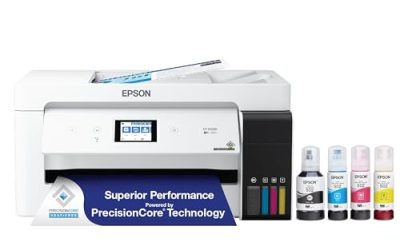
Wide format printers for prosumers and small studios sit in the space between a letter-size desktop printer and a production machine: they print 13 to 24 inches wide, handle fine art and photo media properly, and still fit on a desk or a compact stand. The five models below cover that whole span. The Epson EcoTank Photo ET-8550 is the low-running-cost entry point, the Canon PIXMA PRO-200 and Epson SureColor P700 serve photographers who sell 13 x 19 prints, the Epson SureColor P900 steps up to 17 x 22, and the HP DesignJet T210 takes you to 24-inch roll output for posters and plans. Each one is a dedicated wide format machine, so the right choice depends on the widest sheet you print regularly, the ink system you prefer, and how much media handling you need.
As an Amazon Associate, we earn from qualifying purchases.
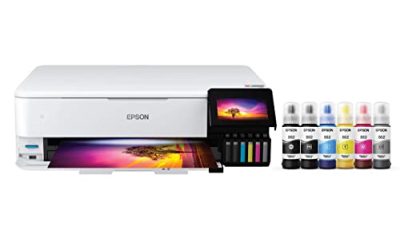
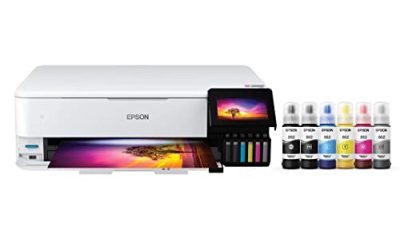
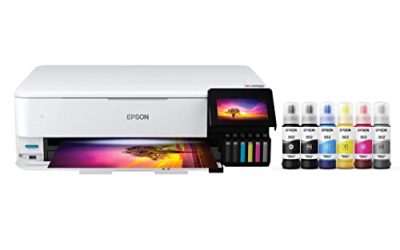
Epson EcoTank Photo ET-8550

Tier: budget
The ET-8550 is the wide format printer to look at first if ink cost shapes your workflow. Instead of cartridges, its EcoTank reservoirs refill from bottles, and the six-color Claria ET Premium set adds gray and photo black to the usual cyan, magenta, yellow, and black, which smooths black-and-white gradations that four-color tanks usually band. It prints borderless up to 13 x 19 inches, so poster-size photo work is on the table, and because it is also an all-in-one, the flatbed scanner handles proofing, copying reference material, and scanning artwork up to legal size through the rear feed path.
Paper handling is flexible for a studio machine at this level. A rear specialty feed takes thicker stock such as cardstock and fine art sheets, the main cassette covers everyday sizes down to small photo paper, and it can print on printable CDs and DVDs. The trade-offs are the ones you would expect from a dye-based tank printer: output is vivid and glossy-friendly, but dye inks do not match pigment inks for archival life on fine art papers, and there is no roll support. For studios that print volume at 13 inches and want running costs to stay predictable, it is the sensible starting point.
Specs
- Print width: up to 13 x 19 in borderless (A3+)
- Ink system: 6-color Claria ET Premium dye ink, refillable EcoTank bottles (Epson 552)
- Maximum resolution: 5760 x 1440 dpi
- Functions: print, scan, copy; flatbed scanner
- Media: rear feed for thick media, photo paper, cardstock, printable discs
- Connectivity: Wi-Fi, Ethernet, USB; 4.3-inch color touchscreen
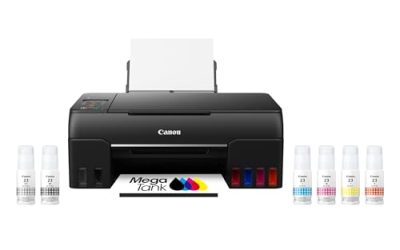
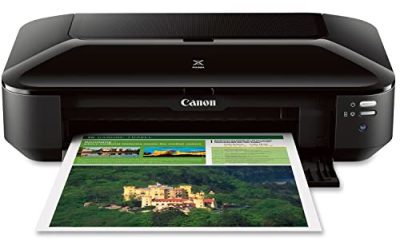
Canon PIXMA PRO-200

Tier: mid-range
The PIXMA PRO-200 is Canon’s dye-based answer to the 13-inch studio printer. Its eight ChromaLife 100+ inks include gray and light gray alongside the standard colors, which is why it renders smooth monochrome prints and gentle skin tones so well. Dye ink sinks into glossy and luster papers for a particularly rich finish, and the printer supports borderless output up to 13 x 19 plus custom panorama lengths up to 13 x 39 inches through the manual feed, which suits wide scenic work that most 13-inch machines cannot frame.
A 3-inch color LCD handles nozzle checks and ink status without a computer, and Canon’s Professional Print and Layout software simplifies margins, borderless setup, and paper profile selection. The manual feed tray takes fine art media, while the top tray handles everyday photo paper runs. What it does not do is roll paper, and as a dye printer it shares the category’s shorter display life compared with pigment inks on matte media. For photographers whose finished work lives on glossy or luster stock, though, the PRO-200 produces the kind of saturated color that made dye printing popular in the first place.
Specs
- Print width: up to 13 x 19 in borderless; panoramas up to 13 x 39 in
- Ink system: 8-color ChromaLife 100+ dye ink (CLI-65 cartridges)
- Maximum resolution: 4800 x 2400 dpi
- Display: 3-inch color LCD
- Media: top tray plus manual feed for fine art paper
- Connectivity: Wi-Fi, Ethernet, USB; AirPrint and Mopria support
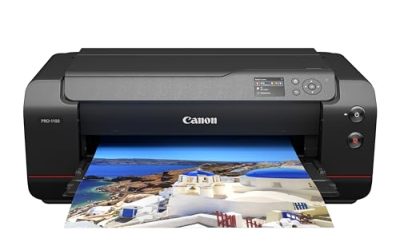
Epson SureColor P700
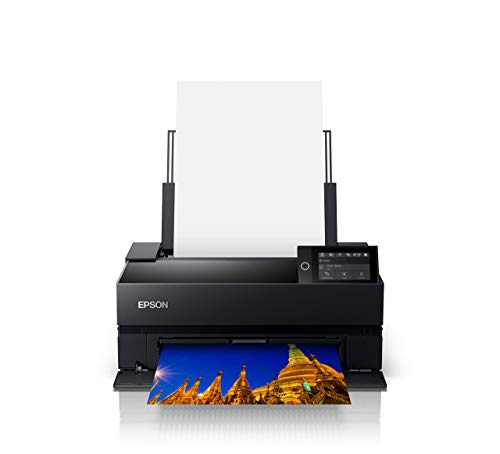
Tier: premium
The SureColor P700 is the 13-inch pigment benchmark for photographers who sell prints or exhibit them. Its ten-channel UltraChrome PRO10 ink set includes a violet channel that expands the blue and purple gamut beyond what an eight or nine-color set can reach, and both photo black and matte black have dedicated channels, so swapping between glossy and matte papers never wastes ink on a changeover purge. Epson’s Carbon Black mode increases black density on glossy media, giving exhibition prints the deep shadows that matte black alone cannot deliver.
Media handling is the other half of its appeal. It accepts sheets up to 13 x 19, feeds thick fine art stock up to 1.5 mm through the front manual path, and supports roll paper for long panoramas. A 4.3-inch customizable touchscreen, Epson Print Layout software, and a built-in roll capability make it feel like a small production tool rather than a desktop accessory. If your studio’s deliverable is a framed 13 x 19 pigment print, the P700 is the machine the rest of this list is measured against.
Specs
- Print width: up to 13 x 19 in borderless; roll media supported
- Ink system: 10-color UltraChrome PRO10 pigment ink, dedicated photo and matte black channels
- Maximum resolution: 5760 x 1440 dpi
- Media: front manual feed for media up to 1.5 mm thick, roll paper option
- Display: 4.3-inch color touchscreen
- Connectivity: Wi-Fi, Ethernet, USB
Epson SureColor P900
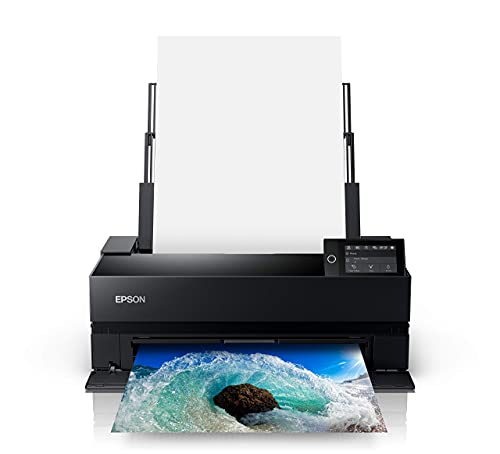
Tier: premium
The P900 is the P700’s larger sibling and the natural step when 13 inches stops being wide enough. It uses the same ten-color UltraChrome PRO10 pigment set with dedicated black channels and Carbon Black mode, but raises the maximum sheet to 17 x 22 inches borderless, which covers full-bleed A2 work and large portfolio pages without tiling. Cartridge capacity also grows, so longer print runs between changes suit studios producing editions or client proofs at volume.
Roll printing is available through an optional roll unit that also enables banner and panorama output, and the front manual feed handles thick fine art boards up to 1.5 mm. The footprint is still desktop class for a 17-inch machine, though you should plan shelf depth for the rear feed and roll clearance. Photographers moving from a 13-inch printer who find themselves outsourcing 16 x 20 and 17 x 22 work are exactly the buyers the P900 is built for, and its per-print ink economy improves on the smaller model thanks to the larger cartridges.
Specs
- Print width: up to 17 x 22 in borderless (A2)
- Ink system: 10-color UltraChrome PRO10 pigment ink, dedicated photo and matte black channels
- Maximum resolution: 5760 x 1440 dpi
- Media: front manual feed up to 1.5 mm thick; optional roll unit
- Display: 4.3-inch color touchscreen
- Connectivity: Wi-Fi, Ethernet, USB
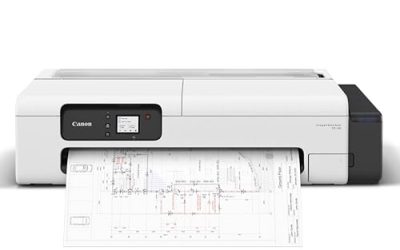
HP DesignJet T210
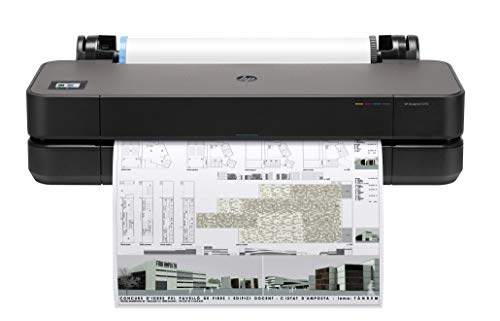
Tier: mid-range
The DesignJet T210 covers the top of this category’s width range at 24 inches, and it is aimed at a different mix of work: posters, signage, presentations, and CAD or GIS drawings in small studios, classrooms, and design offices. It feeds rolls up to 24 inches wide and also takes cut sheets, with an optional automatic sheet feeder available for A3 and A4 stacks. HP’s four-color system pairs pigment black for crisp line work with dye-based colors for posters and graphics, and HP Click software makes tiling, nesting, and one-click poster printing straightforward.
Resolution tops out at 2400 x 1200 dpi, which is tuned for line accuracy and graphic posters rather than gallery photo reproduction, so photographers chasing fine art output should stay with the pigment photo printers above. What the T210 offers instead is genuine 24-inch roll output in a compact body that can sit on a desk or an optional stand, with Wi-Fi printing from phones and laptops through HP Smart. For studios whose wide format work means banners, event posters, and technical drawings, it is the most accessible route to two-foot-wide prints.
Specs
- Print width: up to 24 in rolls; cut-sheet feeding, optional auto sheet feeder
- Ink system: 4-color HP Bright Office inks (pigment black, dye cyan, magenta, yellow)
- Maximum resolution: 2400 x 1200 dpi
- Media: roll feed with spindle, manual sheet feed
- Software: HP Click for poster tiling and nesting; HP Smart app
- Connectivity: Wi-Fi, Gigabit Ethernet, USB
How to Choose
Start with width, because it decides the shortlist on its own. If 13 x 19 is the largest print you deliver, the ET-8550, PRO-200, and P700 all qualify, and the choice becomes about ink. Choose the ET-8550 if refillable tanks and scan-copy functions matter, the PRO-200 for the richest dye color on glossy and luster papers, and the P700 for pigment longevity, matte media, and roll panoramas. If clients ask for 16 x 20 or 17 x 22, only the P900 in this group answers without outsourcing. If the work is posters, plans, and signage at 24 inches, the T210 is the fit.
Next, think about ink chemistry. Pigment inks, used by the P700 and P900, sit on the paper surface and resist fading on fine art and matte papers, which is why they dominate print sales and exhibitions. Dye inks in the ET-8550 and PRO-200 sink in and produce deeper gloss and smoother gradients, but their display life on porous fine art media is shorter. The T210 mixes both approaches for office graphics rather than photo permanence.
Finally, check media handling against your actual stock. Thick fine art boards need a straight front manual path, which the two SureColor models provide. Roll users should confirm whether roll support is built in, as on the P700 and T210, or an add-on, as on the P900. And measure your desk: a 17 or 24-inch printer needs clearance behind it for rear feeds and roll stock, not just shelf width.
Frequently Asked Questions
What counts as a wide format printer in this category?
For prosumers and small studios, wide format means machines that print from 13 inches up to 24 inches wide. That range covers A3+ photo printers, 17-inch fine art models, and compact 24-inch roll printers, while production machines wider than 24 inches belong to the large format class used by print shops and sign makers.
Should I choose dye or pigment ink for selling prints?
Pigment ink is the safer choice for prints you sell, because it resists fading on matte and fine art papers and handles handling better once framed. Dye ink can look richer on glossy paper and costs less to run in tank systems, but its archival life on porous media is shorter, so it suits proofs, portfolios, and personal work better than editions.
Can these printers handle canvas and fine art paper?
The Epson SureColor P700 and P900 feed thick fine art media up to 1.5 mm through a front manual path, which suits most fine art papers and some canvas sheets, and the P700 adds roll support for longer pieces. The ET-8550 and PRO-200 accept lighter fine art stock through their rear or manual feeds. The DesignJet T210 is better matched to poster and technical media than to heavyweight canvas.
Do I need roll paper support?
Only if you print panoramas, banners, or long posters regularly. Roll support on the P700 and T210, or the P900’s optional roll unit, removes the sheet-length ceiling and usually lowers media cost per print. If everything you deliver fits standard cut sheets up to 13 x 19 or 17 x 22, a sheet-only workflow is simpler and takes less space.
Final Verdict
For most prosumer studios, the Epson SureColor P700 is the center of this category: true pigment output at 13 x 19, no black-ink switching, and roll support in a desktop body. The Epson EcoTank Photo ET-8550 is the pick when running cost and all-in-one convenience matter more than archival pigment ink, and the Canon PIXMA PRO-200 remains the dye printer to beat for glossy color. Step up to the Epson SureColor P900 when 17 x 22 is your working size, and choose the HP DesignJet T210 when the job is 24-inch posters and plans rather than gallery prints. Match the width to the work you actually sell, and any of these five will earn its shelf space.
Product and ASIN Reference
| Product | ASIN |
|---|---|
| Epson EcoTank Photo ET-8550 | B08R5M2HDH |
| Canon PIXMA PRO-200 | B08M8VGBZ5 |
| Epson SureColor P700 | B0875QSCFW |
| Epson SureColor P900 | B0875K6D4H |
| HP DesignJet T210 (8AG32A) | B08F6T1CJ7 |
More from Amazon
Programs that pair well with the guide above. Offers and eligibility are set by Amazon and may change.
Free shipping on eligible items, Prime Video and more. Eligible new members can start with a free trial.
Start a Prime free trialAd-free music streaming. Eligible new subscribers can start with a free trial.
Try Music Unlimited freeA Prime membership for ages 18-24 with a trial period. Eligibility is set by Amazon.
See Prime for Young AdultsAudiobooks and podcasts to listen to on the go. Eligible new members can start with a free trial.
Try Audible freeAs an Amazon Associate we earn from qualifying purchases.