Key takeaways
- Compare the best 13x19 photo printers for borderless enlargements, from budget dye models to pro pigment printers with archival inks and low running costs.
If you want enlargements that look like framed artwork rather than oversized snapshots, the shortest answer is this: buy a dedicated 13×19 photo printer with at least six ink colors, and match the ink type to your paper. Dye-based models such as the Canon PIXMA PRO-200S and Epson EcoTank Photo ET-8550 deliver the glossiest, most vivid 13×19 prints, while the pigment-based Canon imagePROGRAF PRO-310 is the pick when matte and fine art papers and long print life matter most. On a tighter budget, the Canon PIXMA iX6820 remains the simplest way to get a full 13×19 borderless print at home.
A 13×19 sheet, also called A3+ or Super B, is the largest format that desktop photo printers handle, and it changes what a home printer is for. At this size you can print portfolio pieces, exhibition prints, posters, and wall art without sending files to a lab and waiting days for delivery. The five printers below all print true borderless 13×19 output, but they split into clear camps: affordable dye printers, a refillable-tank all-in-one, a high-gamut dye pro model, and a pigment machine built for fine art work.
As an Amazon Associate, we earn from qualifying purchases.
1. Canon PIXMA iX6820 — Budget Pick

The PIXMA iX6820 is the entry point into 13×19 printing, and it earns its place by keeping the formula simple: a five-ink system, a wide carriage, and very little else competing for your money. Four dye-based inks handle color photographs, while a pigment black keeps text and darker graphic work crisp on plain paper. For a first enlargement printer, that split personality is genuinely useful, because the same machine can handle everyday documents between photo sessions.
Print quality at 13×19 is better than the price suggests. The 9600 x 2400 dpi maximum resolution lays down fine detail, and borderless output runs from 4×6 all the way up to a full 13×19 sheet. The compromises are in workflow rather than output: there is no display, no scanner, and ink comes in individual cartridges that heavy enlargement printing will cycle through quickly. If you print a handful of large photos a month, those trade-offs are easy to accept.
Specs
- Max print size: 13 x 19 inches, borderless
- Resolution: up to 9600 x 2400 dpi
- Ink system: 5 individual tanks (pigment black plus dye black, cyan, magenta, yellow)
- Connectivity: Wi-Fi, Ethernet, USB, AirPrint
- Paper handling: 150-sheet automatic sheet feeder
- Model number: 8747B002
Tier: budget
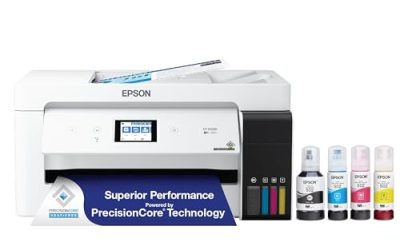
2. Epson Expression Photo HD XP-15000 — Mid-Range Pick

The XP-15000 is the compact option in this group, and compact matters more than people expect with a 13×19 printer, because a wide carriage usually means a wide desk footprint. Epson shrank the chassis while keeping a full six-color Claria Photo HD ink set, adding red and gray inks to the usual four. Those extra colors widen the gamut in warm tones and smooth out black-and-white gradations, which is exactly where large prints expose weaknesses in lesser machines.
Paper handling is a quiet strength. A 200-sheet front tray covers everyday sizes, and a rear specialty feed takes a single sheet of thick or fine art stock up to 13×19, so exhibition paper does not have to bend through the main path. Borderless printing is supported up to 13×19, and automatic two-sided printing covers the document side of life. Cartridge costs are the watch-out: the six individual cartridges are standard capacity, so frequent large prints mean frequent swaps, and high-capacity XL versions are worth choosing.
Specs
- Max print size: 13 x 19 inches, borderless
- Resolution: up to 5760 x 1440 dpi
- Ink system: 6-color Claria Photo HD (black, cyan, magenta, yellow, red, gray)
- Connectivity: Wi-Fi, Ethernet, USB, Epson Connect
- Paper handling: 200-sheet front tray plus 50-sheet rear specialty feed
- Extras: automatic two-sided printing
- Model number: XP-15000
Tier: mid-range
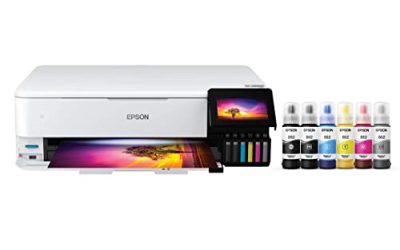
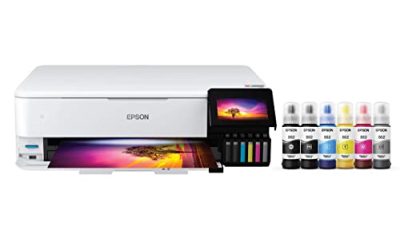
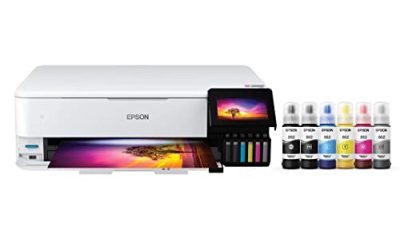
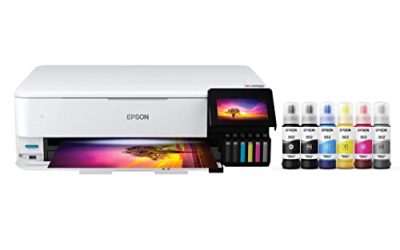
3. Epson EcoTank Photo ET-8550 — Mid-Range Pick

The ET-8550 attacks the biggest running cost in 13×19 printing: ink. Instead of cartridges, its six-color Claria ET Premium inks come in refill bottles that fill built-in tanks, and a single set of bottles goes a very long way when each print covers a large sheet. The six colors include both a photo black and a gray, so the system is tuned for photographs rather than adapted from an office printer, and output quality on glossy and luster papers is excellent.
It is also the only true all-in-one here, adding a scanner and copier on top of the wide-format carriage, plus a 4.3-inch color touchscreen that makes standalone work easy. The main tray handles everyday paper, a rear feed takes one sheet of 13×19 or thick media at a time, and there is a separate tray for smaller photo sizes. The honest caveats: dye inks will never match pigment for archival life on matte papers, and the single-sheet rear feed slows down batch runs of enlargements. For high-volume home printing, though, nothing else on this list comes close on running costs.
Specs
- Max print size: 13 x 19 inches, borderless
- Resolution: up to 5760 x 1440 dpi
- Ink system: 6-color Claria ET Premium dye inks in refillable EcoTank bottles (552 series)
- Functions: print, scan, copy
- Display: 4.3-inch color touchscreen
- Connectivity: Wi-Fi, Ethernet, USB
- Paper handling: main tray, photo tray, single-sheet rear feed for 13×19 and thick media
Tier: mid-range
4. Canon PIXMA PRO-200S — Premium Pick

The PRO-200S is Canon’s dye-based flagship for this format, and its eight-color ink set is the reason it exists. Adding gray, light gray, photo cyan, and photo magenta to the standard four produces smoother gradients, cleaner skin tones, and more delicate shadow detail in a 13×19 print than any six-color machine here can manage. On glossy and luster papers, where dye ink sits on the surface and keeps colors saturated, the results are the most vivid in this roundup.
Workflow features are properly thought through. A 3.0-inch color LCD handles setup and maintenance, built-in skew correction keeps large sheets aligned so borders stay even, and Canon’s Professional Print and Layout software streamlines paper profiles and layout for big prints. You get a top feed for regular stock and a manual feed tray for thicker media. The limits are the familiar dye ones: prints on matte and fine art papers look less rich than pigment output, and long-term light resistance trails the PRO-310. For glossy enlargements, it is the better tool.
Specs
- Max print size: 13 x 19 inches (A3+), borderless
- Resolution: up to 4800 x 2400 dpi
- Ink system: 8-color dye-based ChromaLife100+ (CLI-65 cartridges)
- Display: 3.0-inch color LCD
- Connectivity: Wi-Fi, Ethernet, USB
- Paper handling: top feed plus manual feed tray for thick media
- Model number: 6875C002
Tier: premium
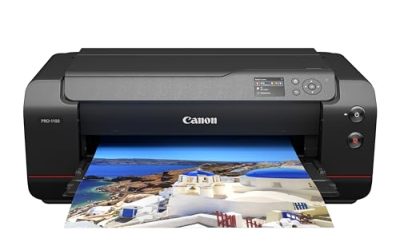
5. Canon imagePROGRAF PRO-310 — Premium Pick

The PRO-310 is the serious photographer’s 13×19 printer. Its LUCIA PRO II system carries ten inks: nine pigment colors plus a Chroma Optimizer that evens out gloss on resin-coated papers. Pigment ink sits on top of matte and fine art media instead of soaking in, so textures stay open, blacks stay deep, and prints gain the archival light resistance that dye cannot match. If you sell prints, exhibit them, or simply want a 13×19 enlargement to look the same in twenty years, this is the machine in this list built for that job.
The supporting hardware matches the ink. A vacuum feed system holds thick fine art sheets flat and straight, borderless printing extends to fine art media, and a 3.0-inch LCD plus Canon’s Professional Print and Layout software keep the workflow controlled. Running costs per print are the highest here, and print speeds are deliberate rather than fast. Neither matters much if the goal is the best possible sheet of 13×19 paper coming out of a desktop printer.
Specs
- Max print size: 13 x 19 inches (A3+), borderless including fine art media
- Resolution: up to 4800 x 2400 dpi
- Ink system: 10-ink LUCIA PRO II pigment system (9 colors plus Chroma Optimizer, PFI-5100 cartridges)
- Display: 3.0-inch color LCD
- Connectivity: Wi-Fi, Ethernet, USB
- Paper handling: top feed plus manual feed tray with vacuum feed system
- Model number: 6858C002
Tier: premium
How to Choose a 13×19 Photo Printer
Start with ink type, not resolution. Dye inks (iX6820, XP-15000, ET-8550, PRO-200S) produce the most vivid glossy prints and cost less to run, but they fade faster and sit poorly on matte papers. Pigment ink (PRO-310) is the choice for matte, baryta, and fine art media and for prints that need to last. Resolution numbers above 4800 dpi rarely decide real-world quality; ink count and paper profiles matter more.
Count your colors. Four-color printing is fine for documents with photos in them. For dedicated 13×19 work, six colors is the sensible floor, and the extra red and gray in the XP-15000 or the eight inks in the PRO-200S visibly smooth gradients at enlargement sizes, where banding and rough transitions are easy to spot.
Think about how you will feed big sheets. Every printer here prints borderless 13×19, but thick fine art paper needs a straight path. Rear or manual feed trays (XP-15000, ET-8550, PRO-200S, PRO-310) protect heavy stock, and the PRO-310’s vacuum feed is the most secure handling of all.
Budget for ink honestly. A 13×19 print uses far more ink than a 4×6. Cartridge printers are cheaper to buy and costlier to feed; the ET-8550 inverts that trade with bottled ink. Estimate your monthly enlargement count before choosing, because the cheapest printer to buy is often the most expensive one to own.
Leave room on the desk. A 13×19 printer needs space in front and behind for large sheets to travel. Measure with the rear feed open, not just the closed footprint, and keep clearance above the manual feed tray if you plan to use one.
Frequently Asked Questions
Is 13×19 the same as A3+?
Yes. A 13×19-inch sheet is the A3+ size, also sold as Super B or Super A3 depending on the paper brand. Any printer specified for A3+ output, including all five models above, prints a full 13×19 sheet, and all of them support borderless printing at that size.
Can a 13×19 printer also print everyday documents?
Most can. The iX6820, XP-15000, and ET-8550 handle letter and legal paper in their main trays, and the ET-8550 adds scanning and copying, so it can serve as a household’s only printer. The PRO-200S and PRO-310 are print-only specialists; they will print documents, but their ink costs make them a poor choice for everyday text work.
Dye or pigment ink: which is better for 13×19 prints?
Neither wins everywhere. Dye ink gives glossier, more saturated color on glossy and luster papers and is what most of this list uses. Pigment ink, in the PRO-310, holds up far better over time, renders matte and fine art papers properly, and avoids the bronzing that dye can show at glancing angles. Match the ink to the paper you actually print on.
What resolution photo do I need for a sharp 13×19 print?
A file of roughly 3900 x 5700 pixels prints at 300 pixels per inch across a full 13×19 sheet, which is true photo quality at normal viewing distances. In practice, enlargements are viewed from farther away, so files from modern cameras and phones, typically well above 12 megapixels, produce sharp-looking 13×19 prints without special preparation.
Final Verdict
For most people buying their first 13×19 printer, the Epson Expression Photo HD XP-15000 is the balanced choice: six colors, a specialty rear feed, and a footprint that fits a normal desk. If running costs dominate your thinking, the EcoTank Photo ET-8550 prints the same size for far less per sheet and doubles as a family all-in-one. The Canon PIXMA iX6820 stays the budget route to a full-size borderless print, while the PIXMA PRO-200S makes the most vivid glossy enlargements here. And for matte, fine art, and prints meant to last, the Canon imagePROGRAF PRO-310 stands alone in this group.
Product and ASIN Reference
| Product | ASIN |
|---|---|
| Canon PIXMA iX6820 | B00HM0IVDY |
| Epson Expression Photo HD XP-15000 | B076PLTQQT |
| Epson EcoTank Photo ET-8550 | B08R5M2HDH |
| Canon PIXMA PRO-200S | B0DSR9KCG2 |
| Canon imagePROGRAF PRO-310 | B0DSQP2FX6 |
More from Amazon
Programs that pair well with the guide above. Offers and eligibility are set by Amazon and may change.
Free shipping on eligible items, Prime Video and more. Eligible new members can start with a free trial.
Start a Prime free trialAd-free music streaming. Eligible new subscribers can start with a free trial.
Try Music Unlimited freeA Prime membership for ages 18-24 with a trial period. Eligibility is set by Amazon.
See Prime for Young AdultsAudiobooks and podcasts to listen to on the go. Eligible new members can start with a free trial.
Try Audible freeAs an Amazon Associate we earn from qualifying purchases.