Key takeaways
- Compare the best printers for art prints for artists selling on Etsy and online shops, with low ink costs, consistent color, and sizes up to 13x19.
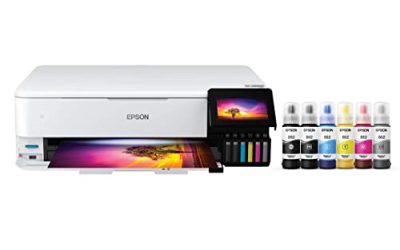
If you sell art prints through an Etsy shop or your own store, the best printer for art prints is the Epson EcoTank Photo ET-8550: it prints up to 13×19 inches, uses six-color refillable tank ink that keeps the cost of every sellable print low, and holds color steady across long runs of the same design. Sellers working mostly in smaller sizes can spend less with the Canon PIXMA G620, while shops that need pigment ink and heavier fine art paper should look at the Canon imagePROGRAF PRO-310 or the Epson SureColor P700.
Selling prints is a different job from printing the occasional photo. Every sheet that leaves your studio carries your shop name on it, so the tenth copy of a design has to match the first one a customer photographed for a review. Ink cost decides whether a small print earns anything at all, and the paper you can feed decides which products you can list. The five printers below are ranked for that seller workflow: repeatable color, sensible running costs, and media handling that suits matte art paper, luster stock, and card.
As an Amazon Associate, we earn from qualifying purchases.
Canon PIXMA G620 Wireless MegaTank Photo Printer

Tier: budget
The G620 is the entry point for artists whose shops live on smaller formats: 5×7 and 8×10 prints, art cards, and sticker sheets. Its six-color dye ink set adds red and gray bottles to the usual four, which widens the color range beyond what a standard home printer produces and helps with the warm skin tones and muted palettes that illustration buyers expect. Because the ink lives in refillable MegaTank bottles rather than cartridges, the ink cost of each small print stays very low, which is exactly where a high-volume, small-format shop makes its margin.
The trade-off is size. The G620 tops out at legal-width paper, so an 11×14 listing is off the table, and dye ink on the wrong paper can fade faster than pigment. For sellers whose catalog is built around affordable small prints and cards, though, it covers the workflow well, and the built-in scanner is handy for artists who digitize traditional work before printing editions of it.
Specs
- Ink system: 6-color dye, refillable MegaTank bottles (GI-23: black, cyan, magenta, yellow, red, gray)
- Maximum print size: 8.5 x 14 inches, borderless up to 8.5 x 11 inches
- Resolution: up to 4800 x 1200 dpi
- Functions: print, scan, copy
- Connectivity: Wi-Fi, USB, works with Alexa for ink reordering
- Rated yield: up to 3,800 4×6 color photos from one full ink set
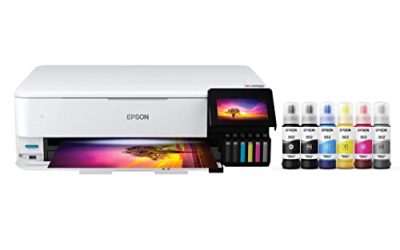
Epson EcoTank Photo ET-8550

Tier: mid-range
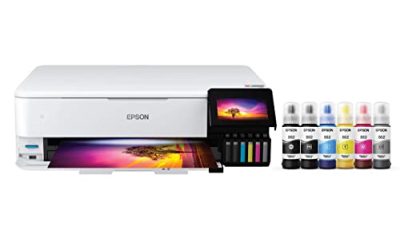
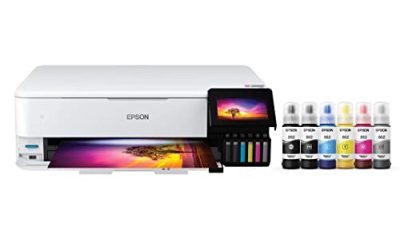
The ET-8550 is the printer most print sellers end up recommending to each other, because it removes the two biggest frictions in a small print shop: cartridge costs and size limits. It prints borderless up to 13×19 inches, so one machine covers everything from 5×7 cards to the large statement sizes that carry a shop’s higher-value listings. The six-color Claria ET Premium ink comes in 552 refill bottles, and a single set goes a long way, so reprinting a full run of a design after a sales spike does not turn into an ink emergency.
Color consistency is the other seller-friendly trait. Tank printers sip ink steadily rather than dropping off as a cartridge empties, and Epson’s Print Layout software makes it simple to save a paper profile and repeat the same settings run after run. The rear feed handles thicker matte and card stocks for art prints that need a sturdier feel in the mailer. It is a dye ink system, so pair it with quality paper and note in your listings that prints should be framed away from direct sun, but for the vast majority of Etsy-style print selling, the running costs make this the sweet spot.
Specs
- Ink system: 6-color Claria ET Premium dye, refillable EcoTank bottles (552: photo black, black, cyan, magenta, yellow, gray)
- Maximum print size: 13 x 19 inches, borderless
- Resolution: up to 5760 x 1440 dpi
- Functions: print, scan, copy
- Connectivity: Wi-Fi, Ethernet, USB, Epson Smart Panel app
- Display: 4.3-inch color touchscreen
Canon PIXMA PRO-200S

Tier: mid-range
Where the ET-8550 wins on running cost, the PRO-200S wins on punch. Its eight-color dye ink set produces the saturated, glossy-friendly color that suits bold illustration, anime-style art, and vibrant graphic prints, and it prints borderless up to 13×19 inches like the Epson. Canon’s Professional Print and Layout software is genuinely useful for sellers: it lines up multiple copies, applies the right ICC profile for Canon papers, and keeps settings repeatable between batches.
The running cost picture is the compromise. Eight individual CLI-65 cartridges cost more per print than tank ink, so the PRO-200S suits sellers with moderate volumes and higher prices per piece rather than shops shipping stacks of small prints daily. It also adds small workflow touches that matter in a studio, like auto skew correction so a slightly crooked sheet does not become a wasted print, and a clear 3.0-inch screen for checking ink levels before a run starts.
Specs
- Ink system: 8-color dye, individual CLI-65 cartridges
- Maximum print size: 13 x 19 inches (A3+), borderless
- Resolution: up to 4800 x 2400 dpi
- Connectivity: Wi-Fi, wired Ethernet, USB
- Display: 3.0-inch color LCD
- Extras: auto skew correction, Canon Professional Print and Layout software
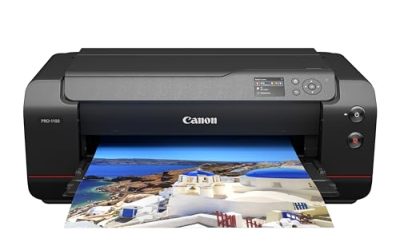
Canon imagePROGRAF PRO-310

Tier: premium
The PRO-310 is where a print shop steps up to pigment ink. Its LUCIA PRO II system runs nine pigment colors plus a Chroma Optimizer that smooths gloss on luster and glossy stock, and pigment prints resist fading far longer than dye, which supports the archival language many buyers look for in higher-priced listings. Color is deeply consistent because pigment sits on the paper surface in a controlled way, and Canon’s media configuration tools let you register custom art papers so the printer treats your chosen stock correctly every time.
It prints up to 13×19 inches, feeds thick fine art media through a manual feed slot, and handles matte papers especially well thanks to a dedicated matte black channel. The honest cost note for sellers: PFI-5100 cartridges are small and pigment ink costs more per print than any tank system here, so this machine fits shops selling fewer, larger, higher-value pieces rather than volume sellers. If your customers pay for longevity and you sign your editions, that math works.
Specs
- Ink system: 10-ink LUCIA PRO II pigment (9 colors plus Chroma Optimizer), PFI-5100 cartridges
- Maximum print size: 13 x 19 inches (A3+), borderless
- Resolution: up to 4800 x 2400 dpi
- Connectivity: Wi-Fi, wired Ethernet, USB
- Display: 3.0-inch color LCD
- Media handling: top tray plus manual feed for thick fine art paper
Epson SureColor P700
Tier: premium
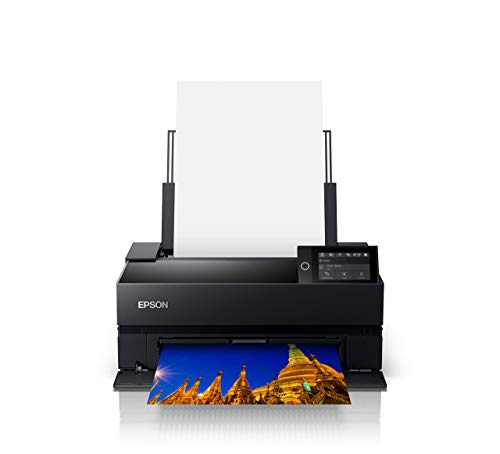
The P700 is the Epson counterpart to the PRO-310 and the choice for sellers who want the widest media freedom in a 13-inch machine. Its ten-color UltraChrome PRO10 pigment set includes a violet ink that stretches the color gamut into blues and purples that other printers flatten, which illustrators with saturated palettes will notice. Dedicated nozzles for both photo black and matte black mean switching between glossy and matte listings never wastes ink on a changeover, a real saving when a shop alternates paper types through the day.
Two features set it apart for production work. The roll feed lets you print long panoramic or banner formats and cut custom sizes from roll stock, which can lower paper costs for odd-sized listings. The manual feed accepts media up to 1.5 mm thick, covering the heavy cotton-rag and board stocks used for premium editions. Epson rates the PRO10 prints for very long display life on rated media, and the 4.3-inch touchscreen makes it easy to store and recall the exact media settings that keep run after run consistent.
Specs
- Ink system: 10-color UltraChrome PRO10 pigment, 25 ml cartridges, dedicated photo black and matte black channels
- Maximum print size: 13 x 19 inches, borderless, plus roll media support
- Resolution: up to 5760 x 1440 dpi
- Media handling: sheet feed plus manual feed up to 1.5 mm thick
- Connectivity: Wi-Fi, Ethernet, USB 3.0
- Display: 4.3-inch color touchscreen
How to Choose
Start with the sizes you actually sell. If your shop moves mostly 5×7 and 8×10 prints and art cards, a letter-width tank printer like the G620 covers you and keeps ink costs at their lowest. If 11×14 and 13×19 listings are part of your catalog, step up to a 13-inch machine from the start, because outsizing your printer later means buying twice.
Next, decide between dye and pigment ink. Dye systems (G620, ET-8550, PRO-200S) deliver vivid color at the lowest cost per print and are the practical default for most online print sellers. Pigment systems (PRO-310, P700) cost more to run but give you fade resistance, better matte-paper blacks, and the archival story that supports premium pricing. Neither is wrong; they serve different price points in your shop.
Then think about consistency, because repeatability is what turns a printer into a production tool. Use the same paper, the same ICC profile from the paper maker, and the same driver settings for every run of a design, and print a small proof strip before a full batch. Printers with saved media settings and good layout software make this routine easier to stick to.
Finally, match the machine to your paper. Matte cotton and textured art papers are the backbone of most print shops, and they pair well with pigment ink. Luster and satin stocks suit both ink types. If you plan to sell thick, board-like pieces or long panoramic formats, the P700’s manual feed and roll support earn their keep. Whatever you choose, keep one paper as your shop standard: buyers comparing a reprint to their first order will thank you.
Frequently Asked Questions
Which printer is best for selling art prints on Etsy?
For most Etsy sellers, the Epson EcoTank Photo ET-8550 is the best fit, since it covers sizes from small cards to 13×19 inches and its refillable tank ink keeps the cost of each print low enough to protect your margins. Shops selling only small formats can save with the Canon PIXMA G620, while premium editions point to the pigment models.
Is dye or pigment ink better for art prints I plan to sell?
Dye ink gives vivid color at the lowest running cost and works well for the majority of prints sold online. Pigment ink resists fading much longer, handles matte and fine art papers with deeper blacks, and supports archival claims in premium listings. Choose based on the price point and lifespan your buyers expect.
What paper should I use for sellable art prints?
A smooth matte art paper is the safest shop standard, since it flatters illustration and photography alike and pairs with both ink types. Luster paper suits vibrant, photo-led work. Whichever stock you pick, use the paper maker’s ICC profile, keep that paper as your standard, and list the paper type in your product descriptions so buyers know what they are getting.
How do I keep colors consistent across print runs?
Lock down three things: the same paper, the same ICC profile, and the same driver or layout-software settings for every run. Let prints dry fully before judging color, view proofs under the same light each time, and run the printer’s nozzle check and calibration routine whenever output starts to drift.
Final Verdict
Print sellers need a machine that behaves like a small production line: predictable color, low ink cost per sheet, and paper handling that matches the catalog. The Epson EcoTank Photo ET-8550 is the best all-round answer, pairing 13×19 output with tank ink economics. The Canon PIXMA G620 undercuts it for small-format shops, the Canon PIXMA PRO-200S adds dye-ink vibrancy for bold work, and the Canon imagePROGRAF PRO-310 and Epson SureColor P700 bring pigment longevity and serious media handling to shops selling premium editions. Pick by the sizes and paper you sell, standardize your settings, and any of these five can anchor a reliable print business.
Product and ASIN Reference
| Product | ASIN |
|---|---|
| Canon PIXMA G620 Wireless MegaTank Photo Printer | B08XZQVWZW |
| Epson EcoTank Photo ET-8550 | B08R5M2HDH |
| Canon PIXMA PRO-200S | B0DSR9KCG2 |
| Canon imagePROGRAF PRO-310 | B0DSQP2FX6 |
| Epson SureColor P700 | B0875QSCFW |
More from Amazon
Programs that pair well with the guide above. Offers and eligibility are set by Amazon and may change.
Free shipping on eligible items, Prime Video and more. Eligible new members can start with a free trial.
Start a Prime free trialAd-free music streaming. Eligible new subscribers can start with a free trial.
Try Music Unlimited freeA Prime membership for ages 18-24 with a trial period. Eligibility is set by Amazon.
See Prime for Young AdultsAudiobooks and podcasts to listen to on the go. Eligible new members can start with a free trial.
Try Audible freeAs an Amazon Associate we earn from qualifying purchases.