Key takeaways
- Compare the best photo printers for iPhone, from pocket ZINK and Instax models to AirPrint dye-sub and inkjet picks, with app quality and print sizes.
The best photo printer for iPhone is the one that connects the way iPhone owners actually print: over AirPrint with no setup at all, or through a well-built iOS app that pulls straight from Apple Photos. For most people, the Canon SELPHY CP1500 is the sweet spot, because it supports AirPrint, prints proper 4×6 photos with a protective dye-sublimation finish, and works from the Photos app share sheet in seconds. Anyone who wants bigger prints should look at the Canon PIXMA TS8820 or the Epson EcoTank Photo ET-8550, both of which handle AirPrint natively, while the HP Sprocket and Fujifilm Instax Link Wide cover the pocket-size, print-anywhere end of the range through their own apps.


As an Amazon Associate, we earn from qualifying purchases.
What Makes a Photo Printer Good for iPhone
Not every photo printer treats the iPhone as a first-class citizen. The two connection paths that matter are AirPrint, Apple’s built-in printing system that works from the Photos app, Files, Safari and most third-party apps with no extra software, and the manufacturer’s own iOS app. A good companion app reads your Apple Photos library directly, handles Live Photos and portrait orientation correctly, and offers useful extras such as collages, borders and ID-photo layouts. A poor app forces you to import images one at a time or crops them without warning.
Connection hardware matters too. Older iPhones charge over Lightning and newer models use USB-C, so a printer that relies on a physical dock can leave one group of owners reaching for an adapter. Wireless printing over Wi-Fi or Bluetooth sidesteps the cable question entirely, which is why every pick below prints from an iPhone without plugging it in. Print size is the other big divider: pocket printers produce small 2×3 or Instax Wide prints, dedicated photo printers produce 4×6 prints, and desktop inkjets go up to letter size or beyond.
Canon SELPHY CP1500
Tier: mid-range
The SELPHY CP1500 is the easiest recommendation for iPhone owners who want real 4×6 photographs rather than novelty prints. It supports AirPrint, so any photo in your library can be printed from the standard iOS share sheet, and Canon’s SELPHY Photo Layout app adds collages, stamps, borders and multi-photo layouts on top. Because it uses dye-sublimation, each print comes out dry, smudge-resistant and finished with a clear protective overcoat that helps it resist water and fingerprints.
The CP1500 connects over Wi-Fi to your home network or directly to the phone, and it can also read from SD cards and USB drives when the shot did not start on your iPhone. An optional battery pack turns it into a genuinely portable printer for parties and events, and the compact body with its tilting color screen is simple to run without the app when needed.
Specs
- Print technology: dye-sublimation with protective overcoat layer
- Maximum print size: 4 x 6 inches (postcard), plus card and square sizes with optional cassettes
- Resolution: 300 x 300 dpi
- Connectivity: Wi-Fi, AirPrint, USB-C, SD card slot
- iPhone workflow: AirPrint from Apple Photos, plus SELPHY Photo Layout app for collages and layouts
- Display: 3.5-inch tilting color LCD
- Power: AC adapter included, optional NB-CP2LH battery pack rated for up to 54 prints per charge
- Consumables: combined ink cassette and paper sets (KP-108IN and RP-108)
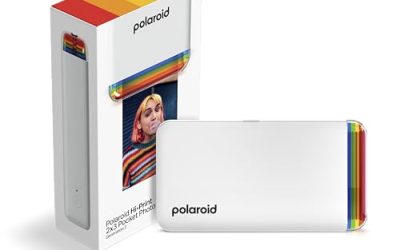
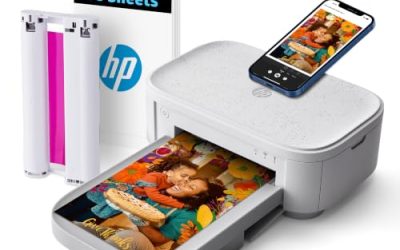
HP Sprocket Portable Photo Printer (2nd Edition)
Tier: budget
The HP Sprocket is the smallest printer in this roundup, roughly the size of a phone itself, and it is built entirely around printing from a handset. It pairs over Bluetooth and works through the HP Sprocket app on iOS, which connects to your camera roll and social accounts and adds filters, frames, stickers and text before you print. Prints come out on ZINK paper, which needs no ink cartridges at all because the color crystals are embedded in the paper and activated by heat.
Output is a 2 x 3 inch print with a sticky back, so the Sprocket suits journals, lockers, laptops and party favors more than framed photos. Print quality is modest next to the dye-sublimation and inkjet models here, but the trade-off is a printer that lives in a jacket pocket and produces a finished, peel-and-stick photo in well under a minute.
Specs
- Print technology: ZINK Zero Ink thermal printing
- Print size: 2 x 3 inches, sticky-backed paper
- Resolution: 313 x 400 dpi
- Connectivity: Bluetooth 5.1 (no AirPrint; app printing only)
- iPhone workflow: HP Sprocket app with camera-roll access, filters, frames and augmented-reality scan features
- Battery: built-in rechargeable battery, charges over micro USB
- Paper: HP Sprocket ZINK photo paper, loaded in 10-sheet packs
- Compatibility: iOS and Android phones and tablets
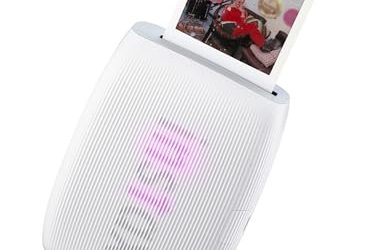
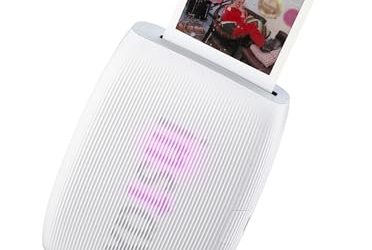
Fujifilm Instax Link Wide
Tier: mid-range
The Instax Link Wide prints the photos on your iPhone onto Instax Wide film, giving you the largest instant prints in this guide and the unmistakable look of real analog film. It connects over Bluetooth and is driven by the Instax Link WIDE app for iPhone, which offers two print modes, a richer mode for deeper color and a classic mode that mimics traditional Instax tones. The app can pull frames from videos in your library, build collages, and add QR codes that link a print to a website, a voice note or a location.
Because the output is genuine Instax film, prints develop in about a minute and a half and have the white border and slightly soft rendering that instant fans want. The printer itself is rechargeable, holds a full 10-exposure film pack, and includes a small stand for desktop use. It does not support AirPrint, so everything runs through Fujifilm’s app, which is the normal trade for instant-film printing.
Specs
- Print technology: Instax Wide instant film exposure
- Image size on film: 62 x 99 mm on 86 x 108 mm film cards
- Print resolution: 318 dpi (800 x 1260 dots)
- Connectivity: Bluetooth (no AirPrint; app printing only)
- iPhone workflow: Instax Link WIDE app with Instax-Rich and Instax-Classic modes, collage and QR print features
- Battery: built-in rechargeable battery, rated for roughly 100 prints per charge, USB charging
- Film: Fujifilm Instax Wide instant film, 10 exposures per pack
- Development time: about 90 seconds per print
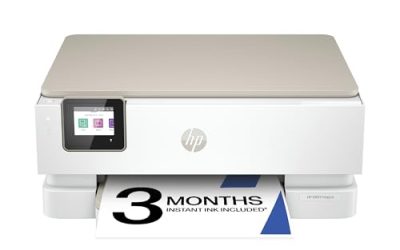
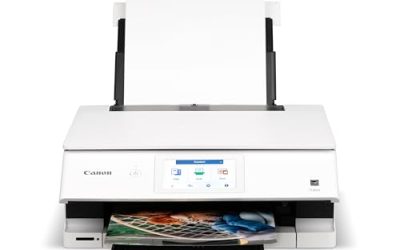
Canon PIXMA TS8820

Tier: mid-range
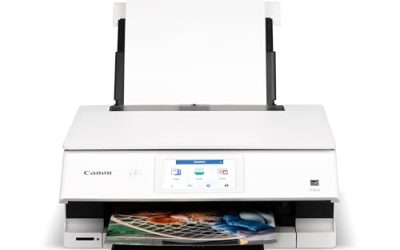
The PIXMA TS8820 is the pick for iPhone owners who want one machine that prints phone photos at up to 8.5 x 11 inches and still handles everyday documents, scanning and copying. It is fully AirPrint-enabled, so printing from Apple Photos takes two taps, and the Canon PRINT app adds easy setup, ink status and creative printing options. Its six-ink system pairs a pigment black for crisp text with dye inks including gray, which smooths black-and-white photo gradations that four-ink printers often band or tint.
Borderless printing runs from 4 x 6 up to letter size, and the printer supports a wide range of photo papers plus specialty media such as restickable and magnetic photo paper for fridge displays. A 4.3-inch color touchscreen, automatic two-sided document printing and a compact footprint make it an easy home all-in-one to live with between photo sessions.
Specs
- Print technology: 6-ink inkjet (pigment black plus dye black, cyan, magenta, yellow and gray)
- Maximum print size: 8.5 x 11 inches, borderless
- Print resolution: up to 4800 x 1200 dpi
- Connectivity: Wi-Fi, AirPrint, USB, Canon PRINT app, voice-assistant support
- iPhone workflow: AirPrint from Apple Photos and other iOS apps, plus Canon PRINT app
- Display: 4.3-inch color touchscreen
- Functions: print, scan, copy with auto two-sided document printing
- Media: photo paper up to letter size, plus specialty Canon photo media
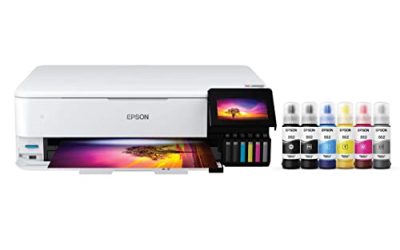
Epson EcoTank Photo ET-8550

Tier: premium
The EcoTank Photo ET-8550 is the serious option for iPhone photographers who print often and print big. It takes AirPrint jobs from an iPhone like any other source and produces borderless prints up to 13 x 19 inches, so a high-resolution shot from a recent iPhone can become genuine wall art. Its six-color Claria ET Premium ink set includes gray and photo black for smooth tonal range, and because the ink lives in refillable tanks fed by bottles, the running cost per print is far lower than cartridge models for anyone printing in volume.
The Epson Smart Panel app handles setup and printing from iOS, and the printer also offers Ethernet, a 4.3-inch touchscreen, a scanner and copier, and dedicated trays for photo paper and thicker media. It is a desktop machine rather than a portable one, and it earns that space if printing from your phone is a regular habit rather than an occasional novelty.
Specs
- Print technology: 6-color refillable ink tank (Claria ET Premium inks, Epson 552 bottles)
- Maximum print size: 13 x 19 inches, borderless
- Print resolution: up to 5760 x 1440 dpi
- Connectivity: Wi-Fi, Ethernet, AirPrint, USB, Epson Smart Panel app
- iPhone workflow: AirPrint from Apple Photos, plus Epson Smart Panel for setup, scanning and printing
- Display: 4.3-inch color touchscreen
- Functions: print, scan, copy with separate photo and document trays
- Media: glossy and matte photo paper, cardstock and specialty media up to 13 x 19
How to Choose
Start with print size, because it rules out most of the field immediately. If a 4×6 print is the goal, the SELPHY CP1500 and other dye-sublimation models are the natural fit, and their sealed ink-and-paper sets make cost per print easy to predict. If you want prints bigger than 4×6, only the inkjets here qualify, and the choice becomes the TS8820 for general home use or the ET-8550 for large formats and high volume. If the fun is in small, shareable prints, the Sprocket and Instax Link Wide trade size for portability and character.
Next, decide how you want to send photos. AirPrint is the lowest-friction route: it works from the Photos app you already use, needs no account and no extra software, and any app on the phone can print through it. App-only printers can still be a good choice, but the app becomes part of the product, so favor makers whose iOS apps are actively maintained, read the full Apple Photos library including albums, and preserve the aspect ratio of your shots instead of silently cropping them.
Finally, think about the cable on your phone. Docking printers that physically plug into the handset were designed around one connector, and the Lightning-to-USB-C change across iPhone generations can strand them. Every model in this guide prints wirelessly, so none of them cares which port your iPhone has, and all of them will keep working when you upgrade the phone. Also check the consumable before you commit: ZINK and Instax are self-contained and simple, dye-sub sets bundle ink and paper together, and inkjets ask you to track ink and paper separately but reward you with larger sizes and lower volume costs.
Frequently Asked Questions
Do all iPhone photo printers support AirPrint?
No. AirPrint is built into the desktop and dye-sublimation models in this guide, such as the Canon SELPHY CP1500, PIXMA TS8820 and Epson ET-8550, but pocket printers like the HP Sprocket and Instax Link Wide print only through their own iOS apps. App printing works well, but AirPrint is simpler because it works from the standard share sheet in Apple Photos and most other apps.
Can I print directly from Apple Photos without a third-party app?
Yes, with any AirPrint printer. Open the photo, tap the share icon, choose Print, select the printer and print size, and the job goes straight to the machine over Wi-Fi. For app-only printers you open the manufacturer’s app instead, grant it access to your photo library, and pick the image from inside the app.
Does it matter whether my iPhone has Lightning or USB-C?
Not for the printers in this guide, because all five connect wirelessly over Wi-Fi or Bluetooth. The connector only matters for older docking printers that physically plug into the phone, where a Lightning-era dock will not fit a USB-C iPhone without an adapter, and adapters can be unreliable for data connections.
Which print type lasts longest from an iPhone photo printer?
Dye-sublimation prints from the SELPHY CP1500 carry a protective overcoat that resists water, smudging and fingerprints, and pigment-rich inkjet prints on quality photo paper from the TS8820 or ET-8550 also hold up very well in albums and frames. ZINK and Instax prints are made for casual display and sharing, and they are best kept out of strong direct sunlight.
Final Verdict
For most iPhone owners, the Canon SELPHY CP1500 is the right first photo printer: true AirPrint support, proper 4×6 dye-sublimation prints and a painless Apple Photos workflow. Choose the HP Sprocket if you want pocket-size sticky prints, or the Instax Link Wide if the instant-film look and larger instant format appeal to you. Step up to the Canon PIXMA TS8820 for an AirPrint all-in-one that prints phone photos up to letter size, and pick the Epson EcoTank Photo ET-8550 if you print often, print up to 13 x 19, and want tank ink economics behind your iPhone library.
Product and ASIN Reference
| Product | ASIN |
|---|---|
| Canon SELPHY CP1500 Wireless Compact Photo Printer (White) | B0BF65S5J5 |
| HP Sprocket Portable 2×3 Instant Photo Printer, Blush Pink (2nd Edition) | B07GG3MDPB |
| Fujifilm Instax Link Wide Smartphone Printer, Ash White | B09GXMRPV8 |
| Canon PIXMA TS8820 Wireless Photo Printer, White | B0DF4GZ99M |
| Epson EcoTank Photo ET-8550 Wireless Wide-Format All-in-One Supertank Printer | B08R5M2HDH |
More from Amazon
Programs that pair well with the guide above. Offers and eligibility are set by Amazon and may change.
Free shipping on eligible items, Prime Video and more. Eligible new members can start with a free trial.
Start a Prime free trialAd-free music streaming. Eligible new subscribers can start with a free trial.
Try Music Unlimited freeA Prime membership for ages 18-24 with a trial period. Eligibility is set by Amazon.
See Prime for Young AdultsAudiobooks and podcasts to listen to on the go. Eligible new members can start with a free trial.
Try Audible freeAs an Amazon Associate we earn from qualifying purchases.