Key takeaways
- Compare the best Bluetooth printers for printing without a router, with pairing range, BLE setup and multi-device support explained for home and office.
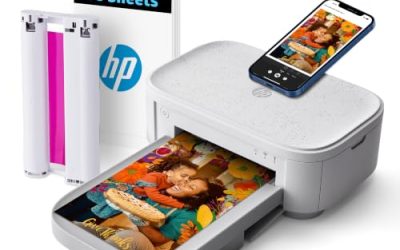
The best Bluetooth printers are the HP DeskJet 4255e for a simple home setup, the HP Envy 6155e and Envy Inspire 7255e for families that print photos as well as documents, the HP OfficeJet Pro 9125e for a busy small office, and the battery-powered HP OfficeJet 250 Mobile for printing away from a desk. Every pick below pairs with a phone or laptop over Bluetooth Low Energy for fast, cable-free setup, and each one can keep printing when there is no router in the room.
As an Amazon Associate, we earn from qualifying purchases.
What Bluetooth on a Printer Actually Does
Bluetooth on a modern printer is almost always Bluetooth Low Energy, usually shortened to BLE, rather than the Classic Bluetooth radio used by older headphones and speakers. Classic Bluetooth was built for continuous streams of audio, while BLE was designed for short bursts of data between devices that sit close together, which makes it a natural fit for finding a printer, pairing with it and handing it the information it needs to join a network or accept a job.
That distinction shapes what you should expect. On most current models, Bluetooth handles discovery and setup: the printer advertises itself, the app on your phone finds it, and the pairing takes seconds instead of a long hunt through network menus. Once the printer is set up, everyday printing usually travels over Wi-Fi, which is faster and reaches further. Bluetooth still matters after setup day, because the same radio supports proximity features in the app and gives you a fallback path when the network is down, misconfigured or simply not there.
Range is the other number worth understanding. BLE connections are typically rated for roughly 30 feet of open space, and walls, floors and metal shelving shorten that in practice. That is shorter than Wi-Fi, but it is also the point: a Bluetooth printer is a same-room device, and the short range is what makes pairing unambiguous when several printers sit in one building. Multi-device support works differently from headphones, too. A printer does not stay bonded to one phone the way earbuds do. Once it is on a network or in Wi-Fi Direct mode, several phones, tablets and computers can send it jobs, and Bluetooth pairing is mainly the front door each new device uses to get in.
Finally, Bluetooth is what makes router-free printing practical. Pair over BLE to set the printer up, then print through Wi-Fi Direct, where the printer creates its own direct link to your phone or laptop. No router, no shared network and no cables are involved, which is exactly what you want in a dorm room, a market stall, a site office or the passenger seat of a work truck.
1. HP DeskJet 4255e — Budget
The DeskJet 4255e is the straightforward choice for a home that prints lists, letters, schoolwork and the occasional form, and wants setup to be the easiest part of owning it. Its Bluetooth radio works with the HP app so a phone can find the printer, pair with it and walk through setup without a computer in the loop. After that, the single-band Wi-Fi connection carries daily printing from phones, tablets and laptops around the house.
Despite the compact body, it includes a 35-sheet automatic document feeder, which is unusual at this level and genuinely useful for scanning multi-page school or tax documents. Print speeds are modest and two-sided printing is manual, so it suits light, everyday volume rather than a home business. The icon LCD keeps controls simple, and the 60-sheet input tray matches the same light-duty brief.
Specs
- Functions: print, scan, copy
- Connectivity: Bluetooth, single-band 2.4 GHz Wi-Fi, USB
- Print speed: up to 8.5 ppm black, 5.5 ppm color
- Paper capacity: 60-sheet input tray, 35-sheet automatic document feeder
- Duplex: manual two-sided printing
- Ink: HP 67 black and tri-color cartridges
- Display: icon LCD control panel
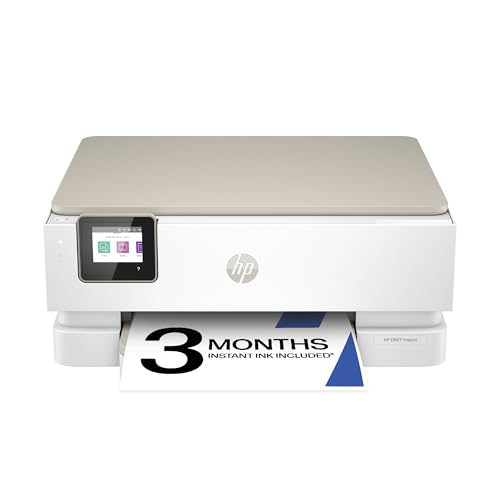
2. HP Envy 6155e — Mid-Range
The Envy 6155e steps up to dual-band Wi-Fi and Bluetooth Low Energy, a pairing that covers both halves of home printing: BLE for a quick, phone-led setup and a more stable network connection for daily jobs from every room. Because the Wi-Fi radio works on both bands, the printer is less likely to drop off a modern router than a single-band model, and the color touchscreen means common tasks do not require the app at all.
It is a good fit for households that mix documents with photos. Automatic two-sided printing comes standard, borderless photo output is supported, and HP describes the color system as true-to-screen, aimed at prints that match what you saw on the phone. The 100-sheet tray is sized for family volume rather than office volume, and the flatbed scanner handles books and artwork that a feeder cannot.
Specs
- Functions: print, scan, copy
- Connectivity: Bluetooth Low Energy, dual-band Wi-Fi, USB
- Print speed: up to 10 ppm black, 7 ppm color
- Paper capacity: 100-sheet input tray
- Duplex: automatic two-sided printing
- Ink: HP 68 black and tri-color cartridges
- Display: 2.4-inch color touchscreen
3. HP Envy Inspire 7255e — Mid-Range
The Envy Inspire 7255e is the pick for a household where photos are a first-class job, not an afterthought. It carries Bluetooth 5.0 alongside dual-band Wi-Fi, so setup pairing is quick and the printer stays reachable from several phones and computers once it joins the network. Bluetooth 5.0 also brings a longer practical pairing range than the older 4.x radios, which helps when the printer lives on a shelf across the room from where you usually sit.
A separate photo tray is the hardware highlight: it holds photo paper ready to go, so nobody has to swap the main tray before printing a picture. Print speeds are the fastest of the home models here, automatic duplexing is standard, and the touchscreen supports customizable shortcuts for the tasks your household repeats. If your printing is mostly documents, the 6155e above covers it; if photos, cards and creative projects are routine, this is the better match.
Specs
- Functions: print, scan, copy
- Connectivity: Bluetooth 5.0, dual-band Wi-Fi, USB
- Print speed: up to 15 ppm black, 10 ppm color
- Paper capacity: 125-sheet main tray plus 15-sheet photo tray
- Duplex: automatic two-sided printing
- Ink: HP 64 black and tri-color cartridges
- Display: 2.7-inch color touchscreen
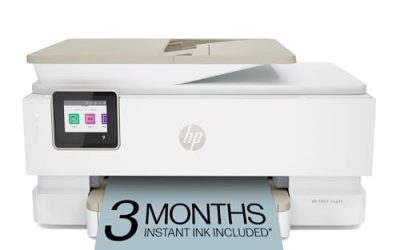
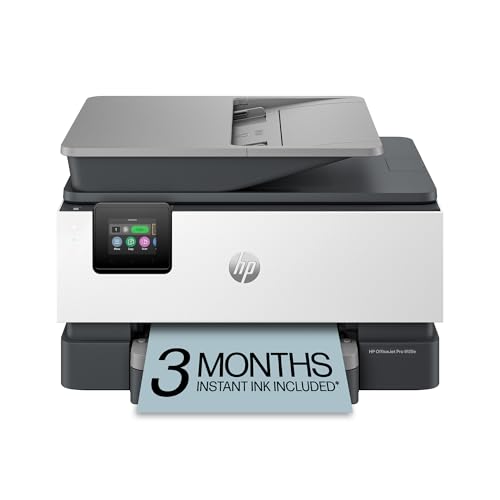
4. HP OfficeJet Pro 9125e — Premium
For a small office, the OfficeJet Pro 9125e is the strongest Bluetooth-equipped option here. Bluetooth Low Energy gets each new phone or laptop paired and set up through the HP app in minutes, and after that the printer offers the full office connection menu: dual-band Wi-Fi for wireless users, Ethernet for a fixed desk and USB for a direct link. That mix matters when several people share one machine and each arrives with a different device.
The hardware is built for volume. A 250-sheet tray reduces refills, the 35-sheet document feeder scans two-sided pages in a dual pass, and fax is included for the offices that still need it. Print speeds lead this group by a wide margin, and automatic two-sided printing is standard. This is the pick when Bluetooth is about painless onboarding for a team rather than printing in a room with no network at all.
Specs
- Functions: print, scan, copy, fax
- Connectivity: Bluetooth Low Energy, dual-band Wi-Fi, Ethernet, USB
- Print speed: up to 22 ppm black, 18 ppm color
- Paper capacity: 250-sheet input tray, 35-sheet automatic document feeder
- Duplex: automatic two-sided printing and scanning
- Ink: HP 936 cartridges
- Display: 2.7-inch color touchscreen
5. HP OfficeJet 250 Mobile — Premium

The OfficeJet 250 Mobile is the one printer on this list designed to leave the building. It runs on a rechargeable battery, weighs about as much as a laptop, and pairs over Bluetooth Smart, HP’s name for its BLE connection, so a phone can detect it and connect without any network present. Add Wi-Fi Direct and you have the complete no-router workflow: pair by Bluetooth, print over the direct link, and never touch a router, a cable or a wall outlet.
It still behaves like a real office machine. There is a 10-sheet automatic document feeder, a color touchscreen, and scan and copy functions alongside printing, with resolution up to 4800 x 1200 dpi for color work. The battery fast-charges when you do find an outlet, and it uses standard HP 62 cartridges rather than a proprietary oddity. For field sales, inspectors, event staff and anyone who prints contracts or invoices at a client’s site, nothing else here comes close.
Specs
- Functions: print, scan, copy
- Connectivity: Bluetooth Smart (BLE), Wi-Fi, Wi-Fi Direct, USB
- Print speed: up to 10 ppm black, 7 ppm color on AC power
- Paper capacity: up to 50 sheets, 10-sheet automatic document feeder
- Duplex: manual two-sided printing
- Ink: HP 62 black and tri-color cartridges
- Power: rechargeable battery included, fast charging
- Display: 2.65-inch color touchscreen
How to Choose
Start with the kind of Bluetooth you actually need. If your only goal is easy setup, any model here works, because BLE pairing through the maker app is standard across the list. If you regularly print where there is no router, narrow the field to models with Wi-Fi Direct, and put the battery-powered OfficeJet 250 Mobile at the top of it.
Think about range honestly. Bluetooth pairing is a same-room tool, roughly 30 feet in open space and less through walls, so plan to pair standing near the printer. Daily printing after setup mostly rides on Wi-Fi, which is why dual-band Wi-Fi on the Envy and OfficeJet Pro models matters more for reliability than the Bluetooth version printed on the box.
Count your devices next. A printer is shared by design: once it is set up, every phone, tablet and computer on the network or direct link can use it, so multi-device households should prioritize the network features and the app experience over raw pairing specs. Solo users printing from one phone can happily choose the simplest model.
Then match the hardware to the workload. A document feeder saves real time on multi-page scans, automatic duplexing saves paper on long documents, and a dedicated photo tray saves hassle if photos are a weekly job. Finally, check the ink system before you buy, since cartridge models differ in running cost and every printer here is tied to its own cartridge family.
Frequently Asked Questions
Can you print over Bluetooth without Wi-Fi?
Yes, within limits. Bluetooth Low Energy handles pairing and setup, and printing itself usually moves to Wi-Fi Direct, a direct device-to-printer link that needs no router. The OfficeJet 250 Mobile is built around exactly this workflow, so it can pair and print in a vehicle, at a job site or anywhere else a network does not exist.
What is the range of a Bluetooth printer connection?
Expect roughly 30 feet in open space for the Bluetooth pairing connection, and less when walls, floors or metal furniture sit between the phone and the printer. That short range is normal for Bluetooth Low Energy and is rarely a problem in practice, because pairing is a one-time, stand-next-to-it step, while everyday printing uses Wi-Fi with far longer reach.
What is the difference between Bluetooth LE and Classic Bluetooth on a printer?
Classic Bluetooth was designed for continuous data streams such as audio, while Bluetooth Low Energy sends short bursts and sips power, which suits printer discovery, pairing and setup. Nearly every current printer uses BLE for this reason. The practical takeaway is that a Bluetooth printer pairs through its maker app rather than behaving like a Bluetooth speaker you connect to once and stream to all day.
Can several phones and computers use one Bluetooth printer?
Yes. Pairing each new device over Bluetooth is simply how it gets introduced to the printer. Once setup is finished, the printer accepts jobs from many phones, tablets and computers over the network or a direct link, so a household or small team can share one machine without re-pairing anything.
Final Verdict
Choose the DeskJet 4255e if you want the simplest, lowest-effort home printer with app-led Bluetooth setup. Step up to the Envy 6155e for dual-band Wi-Fi and automatic two-sided printing, or the Envy Inspire 7255e if photos and a dedicated photo tray matter. The OfficeJet Pro 9125e is the right call for a small office that onboards new devices often and prints all day, and the OfficeJet 250 Mobile stands alone for printing with no router, no cable and no outlet. Whichever you pick, judge Bluetooth by how painless it makes setup and router-free printing, not by the version number alone.
Product and ASIN Reference
| Product | ASIN |
|---|---|
| HP DeskJet 4255e All-in-One Printer | B0CT2QHQVF |
| HP Envy 6155e All-in-One Printer | B0D7JS7S2P |
| HP Envy Inspire 7255e All-in-One Printer | B09NS5HDWY |
| HP OfficeJet Pro 9125e All-in-One Printer | B0CFM82NS2 |
| HP OfficeJet 250 Mobile All-in-One Printer | B01HGD8R5S |
More from Amazon
Programs that pair well with the guide above. Offers and eligibility are set by Amazon and may change.
Free shipping on eligible items, Prime Video and more. Eligible new members can start with a free trial.
Start a Prime free trialAd-free music streaming. Eligible new subscribers can start with a free trial.
Try Music Unlimited freeA Prime membership for ages 18-24 with a trial period. Eligibility is set by Amazon.
See Prime for Young AdultsAudiobooks and podcasts to listen to on the go. Eligible new members can start with a free trial.
Try Audible freeAs an Amazon Associate we earn from qualifying purchases.