Key takeaways
- Thirteen inches is the size where a laptop stops being a desk appliance and becomes something you carry through a campus, a train station.
Thirteen inches is the size where a laptop stops being a desk appliance and becomes something you carry through a campus, a train station, or a client lobby without thinking about it. The catch is that new 13-inch machines from major brands rarely land at a modest price. Shoppers searching for the best 13 laptops under 500 dollars are usually looking at a very specific compromise: a premium-sized chassis from an older generation, often a renewed business model, rather than a brand-new ultraportable.
This guide is for commuters, students, and field workers who value a small screen and a light bag over raw speed. Every listing below is judged only from its title: processor family, memory, storage, display type, ports, and operating system. Where a title shows its age or leaves a spec out, the review says so, because in 2026 an older processor or a pre-owned label should shape your decision as much as a screen size does. Larger 15.6-inch machines that surfaced in the same search were left out, since they answer a different question than a 13-inch buyer is asking.
Quick Picks
Our top picks




As an Amazon Associate we earn from qualifying purchases at no extra cost to you.
| Product | Best for | Key spec from the title |
|---|---|---|
| Microsoft Surface Laptop 13-inch | Light office and browsing | Snapdragon X Plus, 8GB RAM, 256GB |
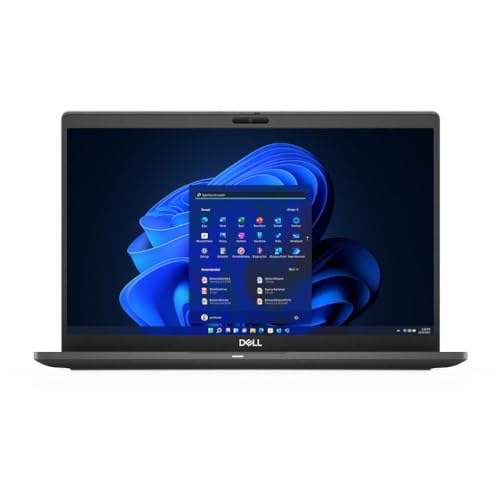
| Dell Latitude 7310 (Core i5) | Business travel on a tight budget | Core i5-10310U, 8GB, 512GB SSD |
| Dell Latitude 3340 2-in-1 | Touch input and note-taking | Core i5-1335U, 16GB/512GB, touchscreen |
| Dell Latitude 7310 (Core i7) | Multitasking with ports | Core i7 10th gen, 16GB, Thunderbolt |
| Dell XPS 13-9350 | Basic tasks on a classic design | Core i5-6200U, 8GB, 128GB SSD |
| HP EliteBook 830 G7 | Memory-heavy office work | Core i7 10th gen, 32GB, touchscreen |
| Razer Blade Stealth 13 | Sharp display and light gaming | GTX 1650 Max-Q, 13.3″ 4K, 16GB |
How to Choose
Generation of the processor matters more than the badge
A Core i5 from 2023 and a Core i5 from 2015 share a name and little else. Look for 10th-generation or newer chips, which bring better efficiency and four-core designs, and be cautious with sixth-generation parts, which are now a decade old, so a title that lists an i5-6200U deserves a skeptical look at the other specs too. A U-series or P-series chip suits thin laptops; the suffix tells you the design is meant for low power and battery life rather than sustained performance.
Memory and storage floors
Treat these as the checks that separate a usable machine from a frustrating one. For Windows 11, 8GB of RAM is the working minimum and 16GB is far more comfortable with a browser full of tabs. For storage, 256GB is tight once updates and apps accumulate, so 512GB is a healthier target. An SSD, especially an NVMe model, loads the system much faster than any hard drive, and a 128GB drive leaves little room to breathe.
Display, touch, and ports
A 1920×1080 panel is the sensible floor at 13 inches. Anti-glare IPS screens are easier outdoors, while glossy touchscreens look vivid but reflect. If you plug into projectors or external monitors, check for HDMI and Thunderbolt or USB-C display output. A 4K panel looks crisp on a small screen but drains the battery faster, so it is a luxury, not a necessity.
Renewed listings and what budget cuts hide
Many laptops in this price range are renewed business machines. That can be good value, because business hardware is built sturdily, but battery wear, cosmetic marks, and warranty length vary by seller. Watch for unusual spec combinations in a title, which can signal a copy-and-paste error, and verify memory type and operating system version on the full page. Budget models cut corners on webcam quality, speaker volume, and keyboard backlighting.
The 7 Best Options
Microsoft Surface Laptop 13-inch
The first-edition Surface Laptop 13-inch pairs a Snapdragon X Plus 8-core chip with 8GB of RAM and a 256GB UFS drive, and ships with Windows 11 in a Platinum finish. It targets people who want a slim, well-known design for documents and web work. The 256GB UFS storage and 8GB of memory fit a student who lives in a browser and a word processor, and the first-edition label tells buyers this is the earliest generation of the line, so expect an older design by current standards.
- Strength: a recognizable, slim 13-inch design from Microsoft.
- Strength: an 8-core Snapdragon chip is built for efficient everyday computing.
- Trade-off: Arm-based processors can limit older desktop software.
Skip it if you rely on legacy apps that only run on traditional x86 chips.
Dell Latitude 7310 (Core i5)
A renewed 13-inch business notebook with a 1920×1080 non-touch display, a Core i5-10310U, 8GB of DDR4, a 512GB PCIe SSD, and Windows 11 Pro. It is a no-frills workhorse for travelers. The Core i5-10310U is a low-power four-core part, so it favors battery life over speed, and the renewed label points toward a lower cost than a new unit. Buyers who mainly edit documents, join video calls, and keep a few dozen tabs open will find the spec mix sensible.
- Strength: 512GB of fast SSD storage is generous at this level.
- Strength: Full HD resolution on a business-class chassis.
- Trade-off: only 8GB of memory limits heavy multitasking.
Skip it if you want a touchscreen or new-condition hardware. Anyone sensitive to cosmetic wear on a renewed unit should read the seller’s condition notes closely.
Dell Latitude 3340 2-in-1
This 13-inch 2-in-1 lists an Intel Core i5-1335U, 16GB of RAM, 512GB of storage, and an FHD IPS anti-glare touchscreen, with a long battery life claim in the listing. It is the newest processor in this pool. The convertible form helps with note-taking, tablet-style reading, and tent mode for presentations. A business-oriented 2-in-1 like this suits an employee who signs documents on screen and then flips it back into a regular laptop for email.
- Strength: a 13th-generation processor with 16GB of RAM.
- Strength: touchscreen flexibility with an anti-glare IPS panel.
- Trade-off: the listing mentions a comparison with other chips, so read the specifics closely.
Skip it if you do not need touch input.
Dell Latitude 7310 (Core i7)
A second Latitude 7310 configuration, with a 10th-generation Core i7, 16GB of memory, a 512GB NVMe SSD, HDMI, Thunderbolt, Windows 11 Pro, and a webcam. The title lists DDR5 memory, which looks unusual for this generation, so verify it on the full page. The pairing of Thunderbolt, HDMI, and a webcam makes this a practical dock-and-desk machine for remote workers who also need a laptop for travel days.
- Strength: Thunderbolt and HDMI connect easily to docks and projectors.
- Strength: 16GB of RAM with a Core i7 handles heavier multitasking.
- Trade-off: the memory type wording needs confirmation.
Skip it if you want touch support. Buyers who prefer a tablet-style screen will find a convertible a better match for note-taking and reading.
Dell XPS 13-9350
A 13.3-inch Dell XPS with a Core i5-6200U, 8GB of RAM, a 128GB SSD, and Windows 10 in silver. It carries a respected design name, but the hardware dates from an earlier era. For a buyer who only wants a small screen for email, streaming, and writing, that may be enough, but the listing offers little room for growth, and the 128GB drive fills up quickly after system updates and a few large downloads.
- Strength: compact, well-regarded XPS body style.
- Strength: SSD storage keeps boot times short.
- Trade-off: a sixth-generation processor and Windows 10 age it noticeably.
Skip it if you want long-term operating system support or a roomy drive.
HP EliteBook 830 G7
A renewed 13-inch touchscreen business laptop with a 10th-generation Core i7, a large 32GB of RAM, a 512GB SSD, and Windows 11 Pro. Memory is its standout. A 32GB configuration lets a user keep a database client, spreadsheets, and a browser with dozens of tabs open together, which most thin 13-inch machines cannot do. The touchscreen adds a convenience for annotating documents and reading PDFs.
- Strength: 32GB of RAM is rare at this size and price tier.
- Strength: touchscreen with a business-class build.
- Trade-off: renewed condition means battery wear is possible.
Skip it if you want a factory-new machine with a fresh battery.
Razer Blade Stealth 13
An ultrabook gaming laptop with a Core i7-1065G7, GeForce GTX 1650 Max-Q graphics, a 13.3-inch UHD 4K 60Hz screen, 16GB of RAM, and a 512GB SSD. It is the only listing with a dedicated graphics chip. Creators who edit photos or short videos and gamers who play lighter titles will notice the difference in a way office buyers will not. It is a niche pick, built for people who want performance packed into a very small shell.
- Strength: dedicated GTX 1650 Max-Q graphics for light gaming.
- Strength: a sharp 4K 60Hz panel.
- Trade-off: 4K at 13 inches tends to shorten battery runtime.
Skip it if long battery life matters more than graphics.
Which One Fits Your Situation
You live out of a backpack
The Microsoft Surface Laptop 13-inch offers a slim body and efficient chip for documents, calls, and web work. Its 256GB of storage is enough if you keep files in the cloud, and the lighter processor design suits a day of meetings away from a power outlet.
You need many ports and a docking setup
The Dell Latitude 7310 Core i7 lists HDMI and Thunderbolt, which keeps a monitor-and-dock desk simple. One cable from the laptop can drive a screen, keyboard, and network connection at once, then unplug for a trip to a meeting room.
You work with huge spreadsheets
The HP EliteBook 830 G7 stands out with 32GB of RAM, giving large workbooks plenty of headroom. Analysts and accountants who keep many files open will feel the difference every day, and the touchscreen helps when marking up shared documents.
You want to game a little after class
The Razer Blade Stealth 13 is the only pick with a dedicated graphics chip, so it handles light play better than the others. Keep expectations realistic: the graphics chip is a low-power Max-Q variant, and the 4K panel will work it harder than a lower-resolution screen would.
Common Mistakes
- Treating “Core i5” as a performance guarantee without checking the generation number.
- Ignoring a renewed label and assuming the battery matches a new unit.
- Accepting 128GB of storage and then running out of room within a semester, when a larger drive would have cost little more.
- Paying for a 4K panel on a 13-inch screen that you will mostly use for email.
- Skipping the port check and discovering that your projector needs an adapter, or that your external monitor only connects through a port the laptop lacks.
Related guides
- Wireless Chargers For Iphone And Airpods
- Noise Cancelling Earbuds Under $100
- Mechanical Keyboard For Programming
Frequently Asked Questions
Is a renewed laptop safe for school or work?
It can be, especially business models built for heavy use. Look for a stated warranty period and a seller that describes battery condition.
How much RAM do I really need?
Eight gigabytes handles light work, while 16GB gives comfortable headroom for many browser tabs and office apps. Heavy spreadsheets benefit from more.
Why does a listing show an old processor?
Older machines are often sold at lower tiers because the price drops with age. Compare the processor model number against its release generation before buying, and check whether the operating system still receives updates.
Does a 13-inch laptop work with an external monitor?
Yes, if it has HDMI, Thunderbolt, or USB-C display output. Check the port list in the full specifications, and remember that thin laptops sometimes need a small adapter or dock to reach every connector type on a monitor.