Key takeaways
- A laptop budget capped at under 700 dollars sounds generous until you notice how wide the range inside it is.
A laptop budget capped at under 700 dollars sounds generous until you notice how wide the range inside it is. The same cap covers a 4GB Chromebook and a Ryzen 7 machine with 20GB of memory, and the gap between them shows up every day in how many browser tabs stay smooth and how long the storage lasts. The real decision is which compromise you can live with: a lighter screen and slower processor, or a bigger, heavier chassis that packs in more memory and a faster drive.
This guide is written for students, home-office workers, and anyone replacing an aging family computer who wants Windows 11 or ChromeOS without stretching past the cap. Everything below is judged from the specs in each listing title, so treat it as a shortlist to verify against the final configuration page, not a verdict on build quality. Shopping in 2026 also means deciding whether a Copilot key or an “AI” label matters to you at all.
Quick Picks
Our top picks




As an Amazon Associate we earn from qualifying purchases at no extra cost to you.
| Product | Best for | Key spec from the title |
|---|---|---|
| Acer Chromebook 315 | Web-only basics | 15.6-inch HD, Celeron N4020, 64GB eMMC |
| HP 17 (Ryzen 5 7430U) | Big-screen multitasking | 17.3-inch FHD IPS, 20GB RAM, 512GB SSD |
| HP 14 (Intel N150) | Light carry-around use | 14-inch, 16GB RAM, 384GB combined storage |
| HP 15.6 (Core i5) | Storage-heavy home use | 10-core Core i5, 32GB RAM, 1TB SSD |
| HP 14 Windows 11 Pro | Office-suite users | 14-inch HD, 16GB RAM, Office 365 included for one year |
| Dell Inspiron 15 3535 | Touch plus number pad | Ryzen 7 7730U, 20GB DDR4, 1TB SSD, touchscreen |
| HP 17 (Core i3-N305) | Large display on a tighter budget | 17.3-inch HD+, 8-core i3-N305, HDMI |
How to Choose
Memory and storage first
For Windows 11, 8GB is the floor and 16GB is the comfortable target for a browser with many tabs plus a document editor. Several listings here go to 20GB or 32GB, which gives real headroom. For storage, 256GB is the minimum for a Windows machine; 512GB or 1TB SSD avoids constant cleanup. Be cautious with eMMC or UFS storage, which is slower than a true SSD.
Processor class
Ryzen 5 and Ryzen 7 U-series chips and a Core i5 sit a clear step above Celeron and N-series parts for multitasking. Intel N150 and i3-N305 chips handle email, video calls, and streaming, but they are the first to slow down with heavy spreadsheets or many open tabs. Ignore comparison claims inside a title, such as one chip “beating” another; they are marketing rather than a spec. Core count alone also misleads, because efficiency-focused cores in N-series chips do not match the performance cores in a Core i5.
Screen size and panel
Look for FHD (1920×1080) rather than HD on 15-inch and larger panels, since text looks noticeably softer at 1366×768. IPS panels hold color and viewing angle better than basic LED. A 17.3-inch screen is great on a desk but adds weight in a backpack; 14 inches is easier to carry daily.
Ports, wireless, and extras
Wi-Fi 6 helps on a crowded home network, and an HDMI port matters if you plan to use an external monitor. A numeric keypad suits spreadsheet work. Budget models often cut corners on the display, the keyboard backlight, and the webcam, and bundled extras like earphones add little value compared with extra RAM. Also confirm whether the memory is soldered, because that decides whether you can ever upgrade later, and read the listing for battery claims, which usually reflect light video playback rather than daily work.
The 7 Best Options
Acer Chromebook 315
This is the simplest machine here: a 15.6-inch HD screen, a Celeron N4020, 4GB of RAM, and 64GB of eMMC storage. It suits someone whose computing lives in a browser, such as a child doing online schoolwork or a relative who only needs email and video calls.
- Strength: the listing points to a long battery life of 12.5 hours and ChromeOS-style simplicity.
- Strength: it is the lightest hardware demand in the group, so it fits the lowest part of the cap.
- Trade-off: 4GB of memory and 64GB of storage run out quickly with heavy tabs or offline files.
Skip it if you need Windows programs or plan to keep it more than a couple of years. Its 15.6-inch frame is roomy for a Chromebook, which makes it a sensible shared family screen for homework and recipes.
HP 17-inch Ryzen 5 7430U
Here you get a 17.3-inch FHD IPS anti-glare display, a Ryzen 5 7430U, 20GB of RAM, and a 512GB SSD. It is a strong pick for a desk-bound student or remote worker who wants two windows side by side without an external monitor.
- Strength: the 20GB of memory and SSD storage give breathing room for multitasking.
- Strength: an FHD IPS anti-glare screen is easier on the eyes during long sessions.
The trade-off is size; a 17-inch body is bulky for commuting. Skip it if you carry a laptop in a small bag every day. Buyers who rarely leave a desk will likely find the extra screen area worth the added bulk.
HP 14-inch Intel N150
This 14-inch model pairs an Intel N150 with 16GB of RAM and 384GB of mixed storage (128GB UFS plus 256GB MSD), plus Wi-Fi 6. It targets light users who want a small, easy-to-carry notebook with generous memory for the class.
- Strength: 16GB of RAM is unusual at this processor tier.
- Strength: Wi-Fi 6 and a compact 14-inch footprint suit travel and classrooms.
- Trade-off: the storage is split between a UFS drive and an add-on card, which is not the same as one fast SSD.
Skip it if you edit large files or want a single fast drive. For lecture notes, browsing, and streaming, the spec sheet suggests enough memory to stay comfortable.
HP 15.6-inch Core i5
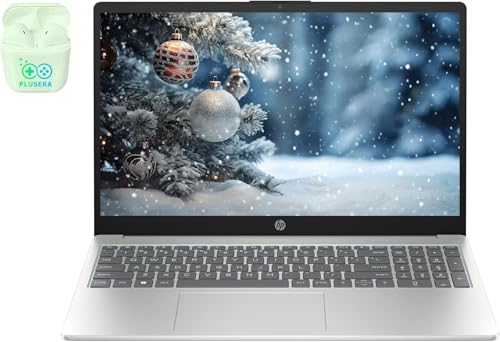
The headline here is a 10-core Intel Core i5 with 32GB of RAM and a 1TB SSD in a 15.6-inch FHD body running Windows 11. It fits a household that stores photos, runs many tabs, and wants a machine that will not feel cramped for years.
- Strength: 32GB of memory is the largest in the group.
- Strength: 1TB of SSD space is ample for files and apps.
- Trade-off: the listing adds bundled earphones, which is filler rather than a feature.
Skip it if you want a thin, light notebook for travel. Look for the exact configuration on the product page, since multi-core counts and memory are the selling points here.
HP 14-inch Windows 11 Pro with Office
This 14-inch HD model ships with Windows 11 Pro and a one-year Microsoft Office 365 subscription, along with 16GB of RAM. It suits a student or small-business user who needs Word and Excel right away.
- Strength: Windows 11 Pro adds management features beyond the Home edition.
- Strength: 16GB of RAM supports everyday office multitasking.
- Trade-off: the HD display is less sharp than the FHD panels elsewhere in the list.
Skip it if screen sharpness matters, or if you already own an Office license. The subscription is time-limited, so factor in renewal once the first year ends.
Dell Inspiron 15 3535
The Inspiron pairs a 15.6-inch FHD touchscreen with a Ryzen 7 7730U, 20GB of DDR4 RAM, and a 1TB SSD on Windows 11 Pro. A numeric keypad is included. It fits people who want a stronger processor and touch input in a familiar 15-inch layout.
- Strength: Ryzen 7 plus 20GB of RAM is the strongest processor and memory combination at this size.
- Strength: touch input and a number pad add flexibility.
- Trade-off: the listing mentions a WVA panel, which can be less vivid than premium screens.
Skip it if you want the lowest weight or a basic, cheaper build. Because the base chip is a step above entry-level parts, it also leaves more room for future software updates.
HP 17-inch Core i3-N305
This one offers a 17.3-inch HD+ anti-glare display, an 8-core Intel i3-N305, Windows 11 Pro, a numeric keypad, HDMI, and Wi-Fi 6. It is aimed at schoolwork and home budgeting where a large screen matters more than speed.
- Strength: the big display and HDMI output make it easy to present or share a screen.
- Strength: the number pad helps with data entry.
- Trade-off: HD+ resolution is below FHD, so text looks less crisp than on other 17-inch options here.
Skip it if you want a fast processor for demanding tasks. Buyers who mostly type, browse, and present will notice the screen more than the chip.
Which One Fits Your Situation
You need a large screen for spreadsheets
The HP 17-inch with Ryzen 5 offers FHD IPS and 20GB of RAM, which is the best match for long document and spreadsheet sessions. The Core i3-N305 version is the budget alternative.
You carry the laptop every day
Go for the HP 14-inch Intel N150, which pairs a compact 14-inch body with 16GB of RAM. The Windows 11 Pro 14-inch is a close second if you want Office included.
You want the most power under the cap
The Dell Inspiron 15 3535 with Ryzen 7 and the HP 15.6-inch with 32GB of RAM lead on raw specs. Choose the Dell for touch, or the HP for memory and storage.
You only browse and stream
The Acer Chromebook 315 covers email, video, and web apps at the lowest tier, as long as you accept its small memory and storage. If you later find yourself wanting desktop software, the Windows options above are the better long-term home.
If you are still undecided after these four scenarios, rank your must-haves in order: memory, then storage type, then screen sharpness, then weight. The listing that wins on the first two usually keeps you happier a year later than one that wins on extras.
Common Mistakes
- Choosing 4GB of RAM for a Windows laptop and wondering why it stutters.
- Treating eMMC or UFS storage as equal to an SSD.
- Buying an HD panel on a 15-inch or larger screen and regretting the soft text.
- Paying attention to bundled earphones or cloud storage instead of RAM and drive size.
- Ignoring the final cart total, including add-ons, against the cap of under 700 dollars.
Related guides
- Wireless Chargers For Iphone And Airpods
- Noise Cancelling Earbuds Under $100
- Mechanical Keyboard For Programming
Frequently Asked Questions
Is 16GB of RAM necessary for a laptop under 700 dollars?
It is not required, but it helps. Eight gigabytes works for light use, while 16GB keeps many tabs and office apps responsive for longer as software grows. Since memory is often fixed at purchase, buying extra up front is the safer move.
Should I pick a Chromebook or a Windows laptop?
Choose a Chromebook if your work happens in a browser. Choose Windows if you rely on desktop programs or need more storage and processing power.
Does a Copilot key change what the laptop can do?
It is a dedicated shortcut for an AI assistant. It does not make the processor faster, so weigh it far below RAM, storage, and screen quality.
Is a 17-inch laptop a good idea?
It suits desk use thanks to the roomy display and often a number pad. For daily commuting, a 14-inch model is easier to carry. Weigh the screen area against the bag you actually use, since a heavier machine tends to stay home.