
Key takeaways
- 2.5-inch SATA SSDs: For older laptops without M.2 slots.
- External NVMe enclosures: Add portable storage over USB for laptops with no free slot.
- Cloud storage: Offloads files, with the trade-off of subscription and bandwidth.
For most laptops the best M.2 SSD is a PCIe 4.0 NVMe drive such as the Samsung 990 Pro, WD_BLACK SN850X or Crucial T500 when you want top performance, the Samsung 990 EVO Plus or Crucial P3 Plus for balanced everyday use, and the Kingston NV3 for a budget upgrade, provided the laptop has a free 2280 slot that supports the drive. Before choosing any model, confirm the slot length, interface and thickness, because these decide whether the drive will fit and run at full speed.
Our top picks

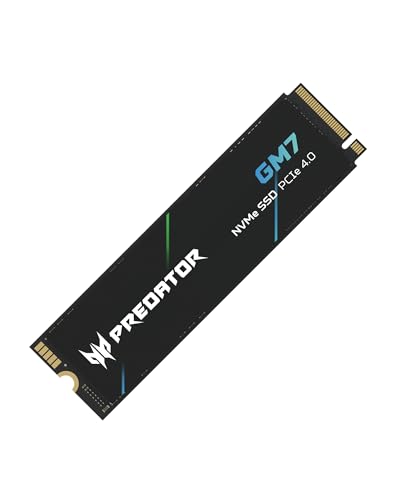

As an Amazon Associate we earn from qualifying purchases at no extra cost to you.
Check Compatibility First
Form factor and length
M.2 drives are named by width and length in millimeters. The common laptop size is 2280 (22 mm wide, 80 mm long). Compact devices such as handheld gaming PCs and some ultrabooks use 2230 or 2242 drives. A 2280 drive will not fit a 2230 slot.
Interface and key
NVMe drives use PCIe lanes, while some M.2 drives use the older SATA interface. Both can share the same physical shape, but keying differs. SATA M.2 drives are slower, and some laptops support only one type. The laptop maker’s specifications or service manual list what the slot accepts.
PCIe generation
PCIe 4.0 drives work in PCIe 3.0 slots at the lower slot speed, but a PCIe 5.0 drive offers little benefit in most laptops and tends to run hotter. Reviewers generally point out that in everyday use, a quality PCIe 4.0 drive is already faster than most workloads need.
Height and heat
Double-sided drives are thicker and can clash with tight laptop designs. Some laptops use a heatsink or thermal pad over the slot. A drive with an attached heatsink may not fit under a laptop cover, so choose a bare drive unless the maker explicitly lists compatibility.
At a Glance: Leading Laptop M.2 SSDs
| Drive | Interface and size | Best for | Maker-stated speed | Limits |
|---|---|---|---|---|
| Samsung 990 Pro | PCIe 4.0 NVMe, 2280 | Heavy workloads, creators | Sequential reads listed up to roughly 7,450 MB/s | Runs warm; premium tier |
| WD_BLACK SN850X | PCIe 4.0 NVMe, 2280 | Gaming laptops | Reads listed up to about 7,300 MB/s | Heatsink versions may not fit |
| Crucial T500 | PCIe 4.0 NVMe, 2280 | Performance on a mid-to-premium budget | Reads listed up to about 7,400 MB/s | Draws more power than entry drives |
| Samsung 990 EVO Plus | PCIe 4.0 NVMe, 2280 | All-round daily use | Reads listed up to about 7,250 MB/s on larger sizes | Lower sustained writes than Pro tier |
| Crucial P3 Plus | PCIe 4.0 NVMe, 2280 | Budget to mid-range upgrades | Reads listed up to about 5,000 MB/s | Slower under sustained writing |
| Kingston NV3 | PCIe 4.0 NVMe, 2280 | Lowest-cost step up from SATA | Reads listed up to about 6,000 MB/s | Entry-level endurance and cache |
| WD_BLACK SN770M | PCIe 4.0 NVMe, 2230 | Handheld gaming PCs and compact devices | Reads listed up to about 5,150 MB/s | Smaller capacity range |
Speeds depend on capacity, and specification sheets can differ between sizes. Match the exact model and capacity on the maker’s page, since revisions occur.
Performance in Real Use
Headline sequential speeds are best-case numbers. For booting, loading apps and general work, reviewers consistently report that the difference between a fast PCIe 3.0 drive and a PCIe 4.0 flagship is small. Where it matters is large file transfers, video editing caches and big game loads. Another factor is sustained writing: many drives write quickly into a cache and slow down when it fills. Pro-tier drives hold speed longer than entry drives.
Laptops add another limit, which is heat. Thin chassis can cause thermal throttling when a hot drive works hard for a long time. A cooler-running mid-range drive sometimes feels faster in a thin laptop than a flagship that throttles. Power use also matters on battery. Some drives are more efficient at idle, which helps battery life.
Capacity and Endurance
Operating system updates, apps and caches mean 512 GB fills quickly. Many buyers choose 1 TB as a comfortable middle, and 2 TB for creators or gamers. Endurance is listed as terabytes written (TBW) and warranty length. Higher capacity drives usually list higher TBW. For general use, endurance ratings are rarely the limit, but heavy video work benefits from higher ratings.
Budget, Mid-Range and Premium Tiers
| Tier | Examples | Strengths | Trade-offs |
|---|---|---|---|
| Budget | Kingston NV3, Crucial P3 Plus | Low entry point, much faster than SATA or hard drives | Weaker sustained write performance |
| Mid-range | Samsung 990 EVO Plus, WD_BLACK SN770 family, Crucial T500 | Balance of speed, efficiency and endurance | Not the fastest at heavy sustained loads |
| Premium | Samsung 990 Pro, WD_BLACK SN850X | Top sustained speeds and strong endurance | More heat and cost |
Installing and Migrating
- Back up important files before you start.
- Read the laptop’s service manual to find the slot and screw type. Some models need warranty-safe access panels; others void certain warranty terms if opened.
- Power off, unplug and remove the battery if the manual instructs. Ground yourself to avoid static discharge.
- Insert the drive at an angle, press down, and secure with the screw. Transfer any thermal pad if the original had one.
- Clone the old drive with the SSD maker’s migration software or install the operating system fresh.
If you are not comfortable opening your laptop, ask a technician. Some sealed ultrabooks have soldered storage and cannot be upgraded.
Pick X If …
| If you … | Pick | Reason |
|---|---|---|
| Edit video or move big files | Samsung 990 Pro or WD_BLACK SN850X | High sustained performance |
| Want a balanced daily drive | Samsung 990 EVO Plus or Crucial T500 | Strong speed with efficiency |
| Need the lowest spend | Kingston NV3 or Crucial P3 Plus | Cheaper than premium NVMe |
| Own a handheld PC or compact device | 2230 drive such as WD_BLACK SN770M | Fits small slots |
| Have an older laptop with SATA M.2 | SATA M.2 drive | NVMe will not work in that slot |
Alternatives
- 2.5-inch SATA SSDs: For older laptops without M.2 slots.
- External NVMe enclosures: Add portable storage over USB for laptops with no free slot.
- Cloud storage: Offloads files, with the trade-off of subscription and bandwidth.
Reading Specification Sheets
Specification sheets can mislead if read in isolation. Sequential read and write numbers show peak throughput for large files, but random performance, measured in IOPS, matters more for operating system responsiveness. Look for the presence of DRAM cache or host memory buffer technology, since DRAM-less designs may slow under heavy random workloads. Warranty length and TBW indicate how the maker rates endurance. Independent reviewers publish sustained-write tests that show how performance falls once the cache fills, which is useful for choosing between similar drives.
Security and Data Notes
Many drives support hardware encryption features, and operating systems offer software tools such as full-disk encryption. Enable them if you carry sensitive data, and keep a recovery key in a safe place away from the laptop. Before removing an old drive from a laptop you plan to sell or recycle, use a secure erase tool from the maker or the operating system. Do not rely on a quick format alone.
Keeping the Drive Healthy
Keep firmware up to date using the maker’s utility, leave some free space on the drive, and avoid unplugging a laptop during firmware updates. Monitor drive health with the maker’s software, and keep regular backups, since any storage device can fail without notice.
Gaming Handhelds and Compact Laptops
Handheld gaming PCs and some thin laptops use shorter 2230 drives, and a few use 2242. Capacity options are narrower in these sizes, and prices per terabyte are usually higher. Before ordering, read the device maker’s upgrade guide, because some handhelds need a specific screw, shield or thermal pad. Check that the replacement drive is single-sided if the compartment is tight.
Frequently Asked Questions
Will any M.2 SSD fit my laptop?
No. You need the correct length (often 2280, sometimes 2230 or 2242), the right interface (NVMe or SATA) and thickness. The laptop maker’s spec sheet or service manual lists supported types.
Is PCIe 5.0 worth it in a laptop?
For most people, no. Reviewers note that PCIe 5.0 drives run hotter and consume more power, and everyday tasks do not use the extra speed. PCIe 4.0 is a better match for most laptops.
Can I put a PCIe 4.0 drive in a PCIe 3.0 slot?
Generally yes, because the standard is backward compatible, but the drive will run at the slower slot speed. This is still a worthwhile upgrade over a hard drive or SATA SSD.
How much capacity should I buy?
One terabyte suits most users, while 512 GB fits light use and 2 TB suits creators and gamers. Remember that SSDs perform best when not nearly full.
Do I need a heatsink?
Many laptops include a thermal pad or shield. A separate heatsink may not fit under the cover, so use one only if the laptop maker or drive maker states compatibility.
Will upgrading void my warranty?
That depends on the laptop maker and region. Some allow user upgrades through service panels, while others restrict them. Read the warranty terms or contact the maker before opening the case.






