Key takeaways
- A 40-inch television is rarely the centerpiece of a living room. It is the set that goes on a bedroom dresser, in a dorm, over a kitchen counter.
A 40-inch television is rarely the centerpiece of a living room. It is the set that goes on a bedroom dresser, in a dorm, over a kitchen counter, or in a spare room where one person watches the news and a streaming queue. That context changes the buying decision. At this size and a normal viewing distance of five to seven feet, the jump from Full HD to 4K is hard to notice, so the real choices are the smart platform, the panel type, the sound features, and how easy the remote is to live with every day.
This guide is for shoppers who want a small smart TV that works the moment it is plugged in, with apps like streaming services and free live channels already built in. It covers six 40-inch models from Roku, Insignia, Samsung, Hisense, and Westinghouse, and it judges them only on what each product title states. If you are replacing an older set in 2026 and want fewer cables and a simpler menu, the sections below explain which platform and feature mix suits which room.
Quick Picks
Our top picks


 SAMSUNG 40-Inch Class Full HD F6000 Smart
- HDR: Enjoy great contrast in all your content
- Feel like you're part of the scene with…
- Your TV experiences are secured

As an Amazon Associate we earn from qualifying purchases at no extra cost to you.
| Product | Best for | Key spec from the title |
|---|---|---|
| Roku 40-Inch Select Series | Simple, uncluttered streaming | 1080p Full HD, Bluetooth headphone mode |
| Insignia 40″ F40 Series | Alexa households and live TV | 1080P Full HD Direct LED, Fire TV |
| Samsung 40-Inch F6000 | Shoppers who want a Tizen interface | Full HD, HDR, Knox Security |
| Hisense 40-Inch A4 Series | Slim-bezel look on a budget | FHD 1080p, DTS Virtual:X, Fire TV |
| Hisense 40-Inch QD4SR Hi-QLED | Richer color in a small size | Hi-QLED, Dolby Audio, Full Array LED |
| Westinghouse 40-inch Xumo TV | Apple device owners | FHD 1080P, Dolby Atmos, Apple AirPlay |
How to Choose
Pick the smart platform first
The operating system is what you touch every day, so decide on it before anything else. The listed models use Roku TV, Fire TV, Samsung’s Tizen, and Xumo. Switching later is annoying because every app login, saved watchlist, and voice habit lives inside that ecosystem. Roku-style home screens are built around a grid of channel tiles, Fire TV leans on Alexa voice search, and Tizen bundles Samsung’s own free channels and a game-oriented menu. If you already own an Echo or a Fire Stick, a Fire TV set feels familiar. If you use an iPhone and want to push video to the screen, look for AirPlay support in the title.
Do not pay for resolution you cannot see
At 40 inches, 1080p is the sensible target. A 4K panel only shows its advantage when you sit close or when the screen is much larger. Put that money into panel quality instead. HDR support, a Hi-QLED color layer, or a Full Array LED backlight can improve contrast and color more than extra pixels would on a screen this small. Ignore marketing terms such as motion rate figures unless the seller explains them, because they vary by brand and are not directly comparable. A practical test is the room lighting: in a bright kitchen a basic panel is fine, while a dark bedroom rewards the contrast and color upgrades.
Check sound and wireless features
Thin TVs have tiny speakers. Dolby Audio, DTS Virtual:X, or Dolby Atmos in the title signals software tuning that can make dialogue and effects less boxed in, but none of these replaces a soundbar if you care about music or movies. A Bluetooth headphone mode is a real quality-of-life feature in shared rooms, letting one person watch quietly. Wi-Fi support is a given on smart sets, but a wired network port or a strong router nearby helps if the TV sits far from it. Budget sets often cut corners here, so confirm the number of HDMI inputs and whether a sound output exists before buying if you plan to add speakers.
Mind placement, remote, and mounting
Measure the dresser or wall space against the TV width, not just the diagonal, and allow for the stand feet. If you plan to wall mount, check the mounting hole pattern in the specification sheet. A voice remote saves typing passwords and searches, which matters more on a bedroom set that you operate from bed. Where budget models skimp is usually the stand, the number of inputs, and the processor speed, which shows up as slow menus. Reading the full specification sheet for the stand type and the port list takes two minutes and prevents most returns.
The 6 Best Options
Roku 40-Inch Select Series
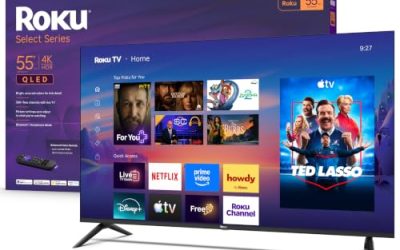
This set pairs a 1080p Full HD LED panel with the Roku TV interface, a voice remote, Wi-Fi, and a Bluetooth headphone mode. It suits first-time smart TV buyers, parents setting up a kid’s room, and anyone who wants menus that stay out of the way.
- Strength: the Roku TV platform is built around simple channel tiles and a straightforward setup.
- Strength: Bluetooth headphone mode supports private listening in shared spaces.
- Trade-off: the title lists no HDR or enhanced-color features, so picture quality is the basic tier.
Skip it if you want Alexa built into the remote or a premium color layer. Also keep in mind that the title focuses on the interface and the connectivity, so anyone expecting cinema-style contrast from a basic LED panel should adjust expectations before ordering.
Insignia 40″ F40 Series Fire TV
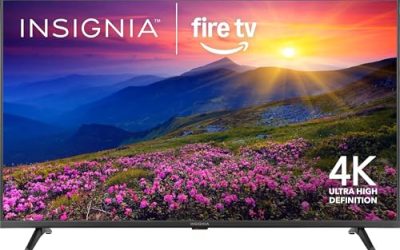
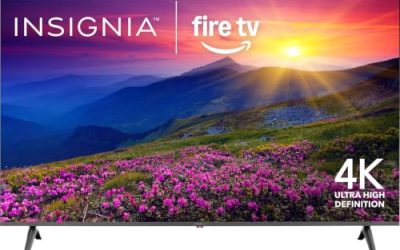
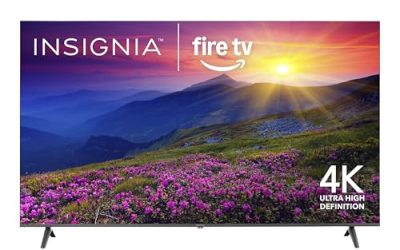
Insignia’s F40 is a 1080P Full HD Direct LED set running Fire TV with an Alexa voice remote and access to free and live TV. It fits households that already ask Alexa for weather, timers, or show searches.
- Strength: the voice remote with Alexa makes searching for shows quick.
- Strength: free and live TV is highlighted, which helps cord-cutters who want a channel guide feel.
- Trade-off: Direct LED backlighting is a basic design, and the title mentions no HDR or sound-tuning technology.
Skip it if you dislike Fire TV home screens with promoted content rows. Households that mostly watch one or two apps may find a simpler interface less cluttered than the Fire TV layout.
Samsung 40-Inch F6000
The Samsung F6000 is a Full HD smart TV with HDR, Object Tracking Sound Lite, Knox Security, and the One UI Tizen interface. It is a good match for buyers who prefer a major brand name and a built-in security feature set in a small bedroom or office TV.
- Strength: HDR support is listed, which is useful for streamed shows that carry HDR.
- Strength: Object Tracking Sound Lite is meant to follow on-screen action with audio, a rare feature in this size.
- Trade-off: Tizen is a different layout from Roku or Fire TV, so households used to those remotes will need a short learning period.
Skip it if you want Alexa voice control as the main way to navigate. It is also worth reading the app list on the listing page, since Tizen’s app catalog differs slightly from the others.
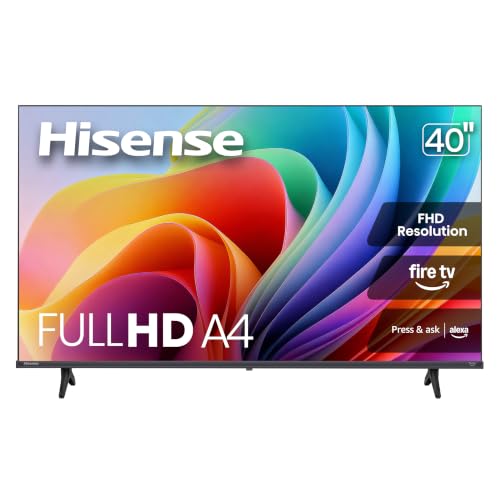
Hisense 40-Inch A4 Series
The 40A4NF is a FHD 1080p Fire TV with a slim bezel, DTS Virtual:X audio processing, and Alexa built in. The slim frame gives it a cleaner look on a dresser, and the Alexa support suits kitchens and bedrooms.
- Strength: DTS Virtual:X sound processing is a plus on a model this size.
- Strength: Alexa built in means you can talk to the TV directly.
- Trade-off: the title does not mention HDR or any upgraded color technology.
Skip it if you want richer color or prefer a Roku or Tizen layout. In a bright kitchen or office this matters less, but in a dark bedroom the plain panel will look flatter than the Hi-QLED model in this group.
Hisense 40-Inch QD4SR Hi-QLED Roku TV
This Hisense model combines a Hi-QLED color layer with a Full Array LED design, Dolby Audio, and the Roku TV platform. It is aimed at buyers who want a better-looking picture than basic budget sets without leaving the 40-inch class.
- Strength: Hi-QLED color and Full Array LED are picture upgrades over plain edge-lit panels.
- Strength: Dolby Audio and Alexa compatibility add flexibility.
- Trade-off: it sits in a higher price tier than the entry-level sets in this group.
Skip it if the TV will only run as background noise in a guest room. For that job a plainer set in the budget tier does the same work and leaves more room in the spending plan for a wall mount or soundbar.
Westinghouse 40-inch Xumo TV
Westinghouse offers a FHD 1080P Xumo smart TV with a voice remote, Dolby Atmos, Bluetooth, Apple AirPlay, and Wi-Fi connectivity. That feature list makes it appealing to iPhone and iPad owners who want to cast photos and video without extra hardware.
- Strength: Apple AirPlay is directly listed, so casting from Apple devices is simple.
- Strength: Dolby Atmos is named, which is uncommon at this size.
- Trade-off: Xumo is a less familiar platform, so app availability should be confirmed before purchase.
Skip it if you depend on a specific streaming app and cannot confirm it is offered. Reading the supported-apps list on the listing page before ordering removes most of that risk.
Which One Fits Your Situation
A bedroom TV you control from bed
The Insignia F40 Fire TV or the Hisense A4 are the stronger matches here. Both list a voice assistant with Alexa, so searching for shows does not require typing on a small keyboard. The Hisense adds a slim bezel, which keeps the frame from looking bulky on a dresser, and the Samsung is the alternative if a different interface appeals.
A shared room with light sleepers
The Roku 40-Inch Select Series stands out because its Bluetooth headphone mode is stated in the title. One person can keep watching late while everyone else sleeps. It is also a sensible choice for a dorm room, where roommates have different schedules and a simple menu keeps setup quick.
An Apple household
The Westinghouse Xumo TV is the clear pick because Apple AirPlay is part of its listed feature set. That makes sharing photos or mirroring a phone straightforward, and the Dolby Atmos mention is a bonus for movie nights with a soundbar.
A picture-first small screen
The Hisense QD4SR Hi-QLED, with Full Array LED and Dolby Audio, is the one to look at when image quality matters more than saving the last bit of money. The Samsung F6000 is the alternative for those who want HDR from a familiar brand.
Common Mistakes
- Paying extra for 4K on a 40-inch screen when the difference is barely visible from a normal bedroom distance.
- Choosing a platform by brand name rather than by the streaming apps you actually use every week.
- Forgetting to measure the stand width against the dresser or shelf before ordering.
- Assuming built-in speakers will fill a room and skipping a soundbar budget.
- Ignoring the number of HDMI inputs, then running out of ports for a console or streaming stick.
Specs and Terms Explained
Viewing distance and resolution
A commonly cited rule of thumb is that the eye needs to sit close to a screen to resolve 4K detail. At a typical bedroom or kitchen distance, a 40-inch panel does not have enough surface for the extra pixels to show. Full HD is the sensible baseline.
Refresh rate
Most sets in this size run at 60Hz, which handles TV shows, movies, and streaming without trouble. A higher figure only matters for fast-paced gaming from a console.
HDR
High dynamic range adds contrast between bright and dark areas. On entry panels the benefit is modest, and the label alone does not guarantee a vivid image. Treat it as a bonus, not a reason to pick one set over another.
VESA pattern
This is the arrangement of four screw holes on the back used for wall mounts. Measure the spacing in the manual and match it to the bracket, because small TVs vary and some are not designed for wall mounting.
Which One Should You Buy?
| If you… | Choose… |
|---|---|
| want a simple, tile-based home screen with a physical remote | Roku 40-Inch Select Series or Hisense 40-Inch QD4SR Hi-QLED Roku TV |
| already use Alexa devices and voice commands | Insignia 40″ F40 Series Fire TV |
| prefer a known electronics brand with its own platform | Samsung 40-Inch F6000 |
| want a free live-channel focus without extra setup | Westinghouse 40-inch Xumo TV |
| want a straightforward budget option from a mainstream brand | Hisense 40-Inch A4 Series |
Sizing and Compatibility Checklist
- Measure the width of the stand or dresser; feet at the outer edges of some TVs need a wider surface than the screen suggests.
- Count the HDMI ports and confirm one supports ARC if you plan to attach a soundbar.
- Check whether a wall mount is possible and what screw length the manual calls for.
- Confirm Wi-Fi band support if your router is far from the room.
- Decide whether you want voice control, and make sure the remote includes the microphone button.
Picture and Setup Tips
- Choose the home mode, not the retail demo mode, during first setup; demo modes push brightness and color far past natural.
- Place the TV away from direct window glare, since entry panels can look washed out in bright rooms.
- Use the movie or cinema preset in a dark bedroom for more natural skin tones.
- Turn off any motion smoothing effect if films look unnaturally fast.
- Run a soundbar through the ARC HDMI port to improve dialogue without extra cables.
Who Should Skip These
Viewers who plan to sit across a large living room will find 40 inches too small. Movie fans seeking deep blacks and wide viewing angles may prefer a higher-tier panel. And if you stream content in a format that requires newer codecs, double-check the TV’s app support before committing.
Related guides
- Wireless Chargers For Iphone And Airpods
- Black Friday And Cyber Monday Deals
- Mechanical Keyboard For Programming
Frequently Asked Questions
Is a 40-inch TV big enough for a bedroom?
For most bedrooms, yes. At a viewing distance of about five to eight feet, a 40-inch screen fills a comfortable portion of your field of view without dominating the room.
Do I need 4K at this size?
Not usually. The listed models are all Full HD, and at 40 inches the sharpness gain from 4K is small. Spend on better color, sound features, or a platform you like.
Which smart platform is easiest for beginners?
Roku TV is widely seen as simple because of its tile-based home screen and short setup. Fire TV is just as easy if you already use Alexa, so the better pick depends on the voice assistants and apps you own.
Can I use these TVs as a computer monitor?
The titles do not list monitor-specific features, so treat that use as a bonus rather than a promise. Check the HDMI input count and confirm the resolution matches your computer output before buying.