Key takeaways
- Best Overall: COOPER TabHolder, for 7 to 10 inch height adjustment, 270 degree tilt and a weighted base.
- Best Compact Aluminum Stand: OMOTON T1, with a charging cutout and silicone pads for 3.5 to 12.9 inch devices.
- Best Value Multi-Angle: Lamicall Adjustable Tablet Stand, an all-aluminum cradle for 4 to 13 inch tablets with an 18 mm hook.
- Best Rotating Stand for Sharing: UGREEN 360 Degree Rotating Aluminum Stand, for turning the screen toward a colleague.
- Best Budget and Travel: UGREEN Foldable Tablet Stand, a 118 g fold-flat dock for 4 to 11 inch devices.
- Best Wide-Range Dual Rod: tounee Dual Rod Aluminum Stand, a foldable stand that handles tablets from 4.7 to 16.9 inches.
The best 11-inch tablet stand for a desk is the COOPER TabHolder if you want the screen raised toward eye level, and the OMOTON T1 if you want a compact fixed-angle aluminum stand that keeps the charging port free. For a budget stand that folds flat into a bag, the UGREEN foldable stand covers 4 to 11 inch devices for the price of a coffee. The right pick depends on how you use the tablet: typing and video calls reward a stand that lifts the screen, while reading, recipes and music controls are fine on a low cradle.
An 11-inch tablet is an awkward size for stands. It is too big for many phone-style cradles, yet a stand rated for “up to 13 inches” may be bulky and sit too low. This guide ranks six real stands that handle 11-inch tablets such as the iPad 11-inch, iPad Air 11-inch, Galaxy Tab S-series 10.9 to 11 inch models and the many 11-inch Android tablets, and it gives you numbers for height, angle and thickness so the stand fits your desk and your case.
Our top picks
As an Amazon Associate we earn from qualifying purchases at no extra cost to you.
Top Picks at a Glance
- Best Overall: COOPER TabHolder, for 7 to 10 inch height adjustment, 270 degree tilt and a weighted base.
- Best Compact Aluminum Stand: OMOTON T1, with a charging cutout and silicone pads for 3.5 to 12.9 inch devices.
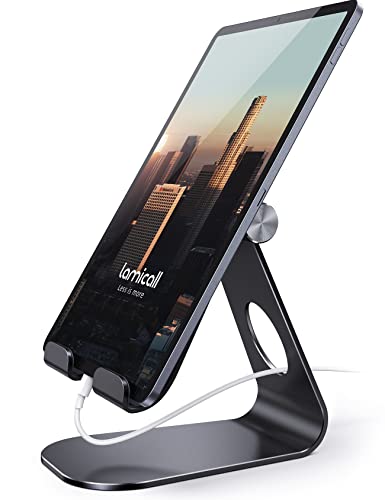
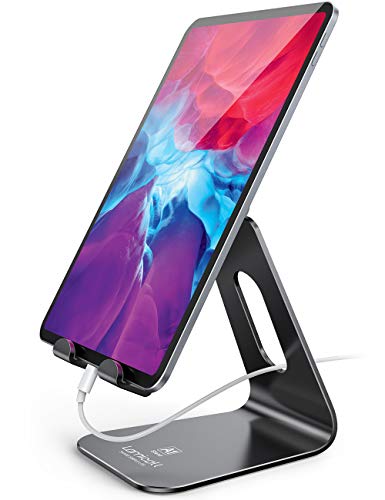
- Best Value Multi-Angle: Lamicall Adjustable Tablet Stand, an all-aluminum cradle for 4 to 13 inch tablets with an 18 mm hook.
- Best Rotating Stand for Sharing: UGREEN 360 Degree Rotating Aluminum Stand, for turning the screen toward a colleague.
- Best Budget and Travel: UGREEN Foldable Tablet Stand, a 118 g fold-flat dock for 4 to 11 inch devices.
- Best Wide-Range Dual Rod: tounee Dual Rod Aluminum Stand, a foldable stand that handles tablets from 4.7 to 16.9 inches.
Comparison Table
| Product | Best for | Key specs | Watch for | Price tier |
|---|---|---|---|---|
| COOPER TabHolder | Raising the screen toward eye level | 7-10 in height, 270 degree tilt, holds up to 4.4 lb, weighted steel base | Larger footprint than a simple cradle | Mid-range |
| OMOTON T1 | Compact fixed angle with charging | 3.5-12.9 in, aluminum alloy and silicone, charging cutout | Weight and size vary by listing | Budget |
| Lamicall Adjustable Stand | Everyday multi-angle use | 4-13 in, aluminum, 18 mm hook for tablet plus case | No stated weight limit | Budget |
| UGREEN 360 Rotating Stand | Sharing the screen | 4-13 in, up to 0.57 in thick with case, aluminum | No locking for the rotation | Mid-range |
| UGREEN Foldable Stand | Travel and tight desks | 4-11 in, 15-100 degree angle, 118 g, up to 0.55 in thick | Plastic body in some listings | Budget |
| tounee Dual Rod Stand | Adjustable height on a budget | 4.7-16.9 in, about 12.6 oz, folds flat | Maximum height not listed | Budget |
Eye Level, Angle and Distance: The Numbers That Matter
Most desk stands sit the tablet low, which pulls your head forward and down. A simple rule from workplace ergonomics guidance is to place the top of the screen at or slightly below eye level, roughly an arm’s length away. On a standard 29 to 30 inch desk, a seated adult’s eyes are often around 16 to 20 inches above the surface, though this varies with chair height and body size, so treat that as a rough starting range.
Here is how that works for an 11-inch tablet. An iPad 11-inch is about 7.1 inches tall in landscape and 9.8 inches wide. On a COOPER TabHolder raised to 7 to 10 inches, the bottom edge of the tablet sits at that height, putting the top edge at roughly 14 to 17 inches above the desk, close to the eye range above. On a fixed cradle that sits the tablet near the desk surface at 60 degrees, the top edge is only about 6 inches up (7.1 inches times the sine of 60 degrees), which is why low cradles are fine for reading but tiring for long video meetings. Tilt matters too: a 270 degree tilt range, as on the COOPER, lets you aim the screen straight at your face, which reduces glare from overhead lights.
1. COOPER TabHolder: Best Overall
- Height adjusts from 7 to 10 inches with a telescoping aluminum rod
- 270 degree tilt range; weighted steel base with EVA non-slip padding
- Holds up to 4.4 lb, including portable monitors up to 17 inches per the listing
- Holding plate is 40 percent wider than standard, per the maker
- Package includes hex keys, spare screw and quick-start guide
Best for: video calls, writing and anyone who wants the tablet closer to eye level. Skip if: you need an ultra-light stand for travel or a tiny footprint.
The TabHolder is built like a small monitor riser rather than a cradle. The weighted base keeps the stand planted while you tap and swipe, which is where many lightweight aluminum stands wobble, and the telescoping rod lets you choose between a low reading position and a raised video-call position. The holding plate and 4.4 lb rating mean it comfortably supports an 11-inch tablet in a thick case, with room for a larger tablet or a portable monitor later.
The cost is footprint and weight. The base occupies more desk space than a folding cradle, and it is not something you throw in a handbag. Because it uses a plate and a rod, you will want to tighten the supplied hardware once and check it occasionally. For a permanent desk setup, it is the most flexible stand in this list.
Pros:
- Raises the screen toward eye level
- Wide tilt range and stable weighted base
- High weight rating for tablets and small monitors
Cons:
- Larger and heavier than fold-flat stands
- Only 7 to 10 inches of height range
- Higher price than basic cradles
2. OMOTON T1: Best Compact Aluminum Stand
- Fits devices from 3.5 to 12.9 inches per the maker; some older listings say 4 to 12.9
- Aluminum alloy body with silicone pads on the base and head
- Charging cutout lets you keep a cable plugged in
- Holder adjusts through about 225 degrees; fits tablets in thick cases
Best for: a tidy desk with a tablet that is always on charge, such as a calendar, smart home controller or music display. Skip if: you want to lift the screen well above the desk.
The T1 has been a staple of desks for years because it does the simple job well: the aluminum holds the tablet at a chosen angle, silicone stops sliding and scratching, and the open charging area means you can run a cable without removing the tablet. It is small, solid and quiet, and it looks at home next to a laptop. The fixed-angle design sits the tablet low, so it works best for reading, recipes, music apps and secondary-screen duty rather than long video meetings.
Specifications differ between listings. OMOTON’s own T1s page gives 5.11 x 3.34 x 5.31 inches and 10.6 oz while Retailer listings show different dimensions, so check which variant you are buying. As with any hook-style stand, make sure your tablet and case together fit the lip and clearance.
Pros:
- Charging cutout and wide device range
- Solid aluminum and silicone grip
- Small footprint
Cons:
- Keeps the screen low on the desk
- Specifications vary between listings
- Limited tilt range for video calls
3. Lamicall Adjustable Tablet Stand: Best Value Multi-Angle
- Fits 4 to 13 inch tablets and phones, including iPad Pro 11, Air and Mini, Kindle and Galaxy Tab
- All-aluminum body with rubber pads and feet
- Hook width of 18 mm, so tablet and case should be no thicker than 0.71 inch
- Weight varies by variant, roughly 8.8 to 11.3 oz; no maximum load listed
Best for: a low-cost, reliable stand for a mix of tablets and phones. Skip if: you use a thick rugged case or want a spec-sheet weight limit.
This design pairs a lever-style pivot with a wide base to deliver many angles, which is handy if you move between typing on a keyboard and watching video. The all-aluminum body feels more substantial than plastic alternatives, and the rubber pads keep it from sliding. The 18 mm hook is the number to check: an 11-inch tablet with a case rarely exceeds it, but rugged or battery-style cases might.
Lamicall sells several variants with slightly different weights, finishes and rotating features, and the maker does not state a maximum load, so use it for tablets, not heavy portable monitors. For larger tablets over 12 inches, the listing advises placing the stand sideways for stability.
Pros:
- Multi-angle all-aluminum body
- Works with phones and tablets
- Low price tier
Cons:
- 18 mm hook limits very thick cases
- No stated load limit
- Several near-identical variants
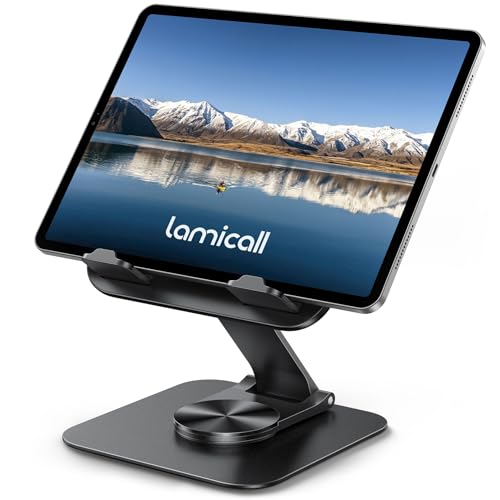
4. UGREEN 360 Degree Rotating Aluminum Stand: Best for Sharing
- Fits 4 to 13 inch devices up to 0.57 inch thick including case
- Aluminum alloy with silicone pads
- 360 degree rotating base to turn the screen toward someone else
- Multi-angle adjustment; no rotation lock, per the listing
Best for: showing a screen to a colleague or client across the desk, and for presentations in small meetings. Skip if: you want the stand to stay fixed in one direction when you tap the screen.
The rotating base is what separates this from the stands above. If you demonstrate apps, share a recipe or run a point-of-sale style setup, you can spin the tablet to face the other person without lifting it. Aluminum construction and silicone pads help with stability, and the thickness limit of 0.57 inch includes the case, which fits most slim cases.
There are caveats. The listing notes there is no locking feature, so the base can turn when you press the screen firmly, which can be annoying during handwriting. And like other dual-rod stands, it sits the tablet relatively low. If the tablet stays pointed at you, a fixed stand is simpler.
Pros:
- 360 degree rotating base
- Sturdy aluminum construction
- Supports tablets and phones
Cons:
- No rotation lock
- Thickness limit excludes rugged cases
- Screen sits low
5. UGREEN Foldable Tablet Stand: Best Budget and Travel
- Fits 4 to 11 inch tablets, phones and e-readers
- Viewing angles from 15 to 100 degrees
- Maximum device thickness of 0.55 inch including case
- Weighs 118 g; folds flat to about 4.72 x 4.21 x 0.79 inches
- Body material listed as ABS plastic on at least one retailer page
Best for: carrying in a backpack, hot-desking and a second device on a crowded desk. Skip if: you want metal construction or a 12 to 13 inch tablet.
At 118 g, this is the stand you forget is in your bag. It folds flat, opens in seconds and covers the full range of angles from nearly flat to upright, which makes it good for reading on a train table, watching video in a hotel or propping a tablet beside a laptop. For an 11-inch tablet it sits at the upper end of the stated range, so it is best with slim cases.
Because the listed upper size is 11 inches, test fit if your tablet is a wide 11.2 inch model. Plastic construction also means less rigidity than the aluminum stands when you tap hard on the screen. It is the best stand for the price and for portability, and the weakest for stability.
Pros:
- Very light and folds flat
- Wide angle range
- Lowest price tier
Cons:
- Upper size limit is exactly 11 inches
- Less rigid than metal stands
- Low viewing height
6. tounee Dual Rod Aluminum Stand: Best Wide-Range Dual Rod
- Compatible with 4.7 to 16.9 inch devices per the US listing (some listings say 16.5)
- Dual-rod aluminum design with an all-metal alloy base and anti-slip silicone pads
- About 12.6 oz; folds flat for storage
- Height and angle adjustable and lockable; maximum height not stated
Best for: a stand that can keep up if you later move to a larger tablet or a portable monitor. Skip if: you need a published maximum height or weight capacity.
The dual-rod arrangement gives you independent control of height and angle, so you can raise the screen and tip it back in a way a single-hinge cradle cannot. The wide size range means the same stand can hold an 11-inch tablet today and a 13-inch tablet or small monitor later, and the all-metal base is heavier than the plastic alternatives, adding stability.
The uncertainty is the spec sheet. The listings do not publish a maximum working height, and sources disagree on the top end of the supported size range. tounee also sells a separate height-adjustable stand rated for 3.5 lb and up to 18 inches tall, which is a different product, so make sure you pick the dual-rod model if you want the compact design.
Pros:
- Height and angle adjustment
- Very wide size range
- Foldable with an all-metal base
Cons:
- Maximum height and load not listed
- Two similar tounee stands can confuse buyers
- Lower than the COOPER at full extension
Matching a Stand to Your Situation
| Your situation | Best match | Why |
|---|---|---|
| Daily video calls from a home office | COOPER TabHolder | Raises the camera toward eye level and tilts to face you |
| Tablet permanently on charge as a smart display | OMOTON T1 | Charging cutout and a small footprint |
| Rotating the screen toward a customer | UGREEN 360 Rotating Stand | Spins on its base without lifting the tablet |
| Commuting between home and office | UGREEN Foldable Stand | 118 g and folds flat in a bag |
| Thick protective case | COOPER TabHolder | Plate-style holder rather than a narrow hook |
| Might upgrade to a bigger tablet or portable monitor | tounee Dual Rod Stand | Listed up to 16.9 inches |
Setting Up Your Desk Stand Properly
A good stand still needs a good setup. Place the stand so the tablet sits directly in front of you, not off to one side, and about an arm’s length away. Tilt the screen back slightly so it faces your eyes squarely, which also cuts reflections from lamps and windows. If you type on a keyboard while using the tablet as a second screen, keep the tablet close enough to read without leaning forward, and take short breaks to look at something distant. Route your charging cable along the back of the stand so it does not pull the tablet sideways, and test the angle before you commit to a final position, since small changes in tilt change how stable the setup feels when you tap the screen.
Also Consider
COOPER TabStand 20-inch
A taller telescoping stand adjustable from 13 to 20 inches, holding up to 4.4 lb on a weighted base. The holder fits devices 4.7 to 10 inches wide, so check that an 11-inch tablet in landscape fits. Price tier: Mid-range.
Urmust Tablet Arm Clamp
A C-clamp aluminum arm for 4.7 to 15.6 inch devices, rotating 360 degrees. Listings mention a capacity of about 2.4 lb and a long 30-inch arm, and the maker also lists a 4.7 to 13 inch version, so confirm the variant. Price tier: Mid-range.
Beelta Lockable Tablet Stand
All-metal desk stands with a key lock and adjustable angle, aimed at shops, reception desks and kiosks rather than home use. Choose it if the tablet must stay put. Price tier: Premium.
How We Chose
This guide is research-based. We compared maker pages and retailer specification sheets for each stand, noted where listings disagree, and checked the maximum size, case thickness and weight limits against typical 11-inch tablet dimensions. We did not set up or physically use any of the stands, and our height calculations are simple geometry from published dimensions, not measurements. Our criteria were fit for 10.9 to 11 inch tablets, stability on a desk, adjustability for eye level, charging access and portability. We included only stands that are currently sold and limited each brand to two entries.
Buying Guide
Check size and thickness together
Most stands list a screen size range, but the hook or lip is the real constraint. Measure your tablet’s thickness with its case on. Anything over 0.55 inch will not fit the UGREEN foldable stand, and anything over 0.71 inch will not fit the Lamicall’s 18 mm hook. If you use a rugged case, the COOPER’s plate-style holder or a clamp arm is safer.
Decide between fixed angle and adjustable height
Fixed-angle cradles are the cheapest and most compact, but they sit low. If you use the tablet for video calls or for several hours a day, an adjustable-height stand like the COOPER or tounee will be more comfortable. For recipes, music controls and reading, a low cradle is fine.
Look for charging access
If the tablet is a permanent desk fixture, charging access matters. The OMOTON T1 has a dedicated cutout. For other stands, check that the charging port is not blocked by the hook, especially if you hold the tablet in portrait.
Mind the weight and stability
Lightweight stands wobble when you tap or write. Metal bases and weighted bottoms help; the COOPER is the stability leader here. If you write with a stylus, choose a stand with a firm base and a stable angle lock rather than a flexible mount.
Plan for portability
If the stand will be in your bag, weight and folded size matter more than anything. The UGREEN foldable stand is about 118 g and folds to under an inch thick, while the COOPER is a desk-bound stand. Many people buy one for the desk and one for travel.
Common Mistakes to Avoid
- Buying a stand rated for “up to 13 inches” without checking the minimum clamp thickness for your case.
- Placing the tablet too low for long video calls, which leads to neck strain from looking down.
- Using a rotating stand without a lock for stylus work.
- Assuming all tounee, Lamicall or UGREEN stands are the same; each brand sells several designs.
- Forgetting to leave space for charging cables.
Frequently Asked Questions
What is the best stand for an 11-inch tablet on a desk?
The COOPER TabHolder is the best overall because it raises the tablet toward eye level, tilts through 270 degrees and has a weighted base. For a cheaper fixed-angle option, the OMOTON T1 or Lamicall stand are good choices.
Will an iPad 11-inch fit these stands?
Yes. The iPad 11-inch is about 9.8 by 7.1 inches and about 7 mm thick, so it fits within the size and thickness limits of all six stands, provided the case is not thicker than the hook limit.
Can I use a tablet stand for video calls?
Yes, but raise the tablet. A stand that lifts the top of the screen toward eye level, like the COOPER TabHolder, gives a more natural camera angle than a low cradle.
Do tablet stands work with a keyboard in front?
They do, as long as the base fits behind the keyboard. Foldable stands and compact aluminum cradles take the least space; check the base depth against your desk.
Is aluminum better than plastic for a tablet stand?
Aluminum is stiffer and more stable, especially when you tap or write on the screen. Plastic stands are lighter and cheaper, which suits travel and light use.
How do I stop a tablet stand from sliding?
Choose a stand with silicone or rubber pads and a weighted base, and keep the desk surface clean. Placing the stand on a mouse mat can also add grip.
Can these stands hold a portable monitor?
The COOPER TabHolder is rated for devices up to 4.4 lb including portable monitors up to 17 inches, and the tounee dual-rod lists support up to 16.9 inches. Others are intended for tablets only.
Which One Should You Buy?
Buy the COOPER TabHolder if you want the tablet at a proper viewing height for calls and long sessions. Choose the OMOTON T1 for a compact, charging-friendly stand, the Lamicall Adjustable Stand for versatile low-cost use, and the UGREEN 360 Rotating Stand if you share your screen. Take the UGREEN Foldable Stand when travel and price matter most, and the tounee Dual Rod Stand if you want room to grow into a larger screen. Before ordering, measure your tablet’s thickness with its case and decide how high you want the top of the screen.
Sources
- COOPER Cases product pages for the TabHolder and TabStand
- OMOTON manufacturer page for the T1 and T1s tablet stands
- UGREEN and Lamicall retailer specification pages for tablet stands
- tounee and Urmust retailer specification pages
- Apple specification page for the iPad (A16) dimensions
Last updated: October 2026