Key takeaways
- Boomy bass in a small room. Cut 3 dB at 100 to 160 Hz with a medium-wide filter, and move the speakers farther from the wall. If you use a sub, lower its level by 2 to 3 dB first.
- Muddy vocals. Cut 2 dB at 250 to 400 Hz. This clears the boxiness that masks voices.
- Harsh or piercing sound. Cut 2 to 3 dB at 2.5 to 4 kHz, which is the region where the ear is most sensitive.
- Sibilance, sharp “s” sounds. Cut 2 dB at 6 to 8 kHz, or move the speakers so the tweeters aim slightly outward from the ears (toe-out).
- Dull, veiled sound. Boost 1 to 2 dB at 8 to 12 kHz, and check that grilles are on straight and no objects block the speakers.
- Dialogue hard to follow in movies. Raise the center channel level by 2 to 3 dB, or boost 2 dB at 2 to 3 kHz on the center, rather than raising all speakers.
The best equalizer setting for most speakers is a nearly flat curve with small corrections: cut 2 to 4 dB between 150 and 300 Hz if the sound is boomy, add up to 2 dB around 8 to 12 kHz if it sounds dull, and set the crossover to 80 Hz when a subwoofer is present. Heavy boosts at both ends, the familiar “smile” curve, make music louder at first but hide detail and add distortion. The right EQ depends more on your room and speaker position than on the brand of speaker.
This guide gives starting values you can type in today, explains what each frequency band does, shows how to set crossovers for bookshelf, tower and satellite speakers, and walks through a method to fix problems by ear or with a free measurement app. The numbers are standard starting points drawn from common audio practice and manufacturer setup guidance, not measurements of your room, so treat them as a first pass and adjust.
Starting EQ settings by speaker type
| Speaker type | Bass (60-120 Hz) | Low mids (150-300 Hz) | Mids (1-3 kHz) | Treble (8-12 kHz) | Crossover |
|---|---|---|---|---|---|
| Bookshelf, no sub | +1 to +3 dB | -1 to -3 dB if boomy | 0 dB | 0 to +2 dB | Not applicable |
| Bookshelf with sub | 0 dB on speaker | -1 to -2 dB | 0 dB | 0 dB | 80 Hz (60 Hz for larger bookshelf, 100 Hz for small) |
| Floor-standing tower | 0 to -2 dB near walls | -2 to -4 dB if boomy | 0 dB | 0 to +1 dB | 60 Hz or “full range” with sub off |
| Small satellite (3-4 inch) | Cut below 100 Hz | 0 dB | 0 dB | 0 dB | 100 to 120 Hz |
| Desktop or PC speakers | -1 to -3 dB if on a desk | -2 to -4 dB | 0 dB | 0 to +2 dB | 80 to 100 Hz if sub is used |
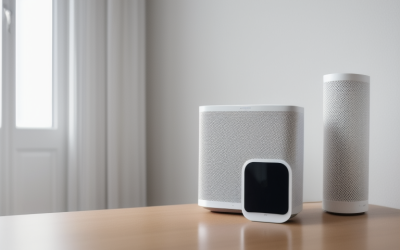
| Bluetooth or smart speaker | Use app preset, then -1 to -2 dB if boomy | 0 dB | 0 dB | 0 to +1 dB | Not adjustable |
What each frequency band actually does
An equalizer is a set of volume sliders for different pitches. Knowing the effect of each region helps you fix a problem with one slider instead of many.
| Band | Frequency range | What it controls | Too much sounds like | Too little sounds like |
|---|---|---|---|---|
| Sub-bass | 20-60 Hz | Rumble, explosions, organ | Muddy, room-shaking | Thin, no weight |
| Bass | 60-250 Hz | Kick drum, bass guitar body | Boomy, one-note | Weak rhythm |
| Low mids | 250-500 Hz | Warmth, body of voices | Boxy, cloudy | Hollow |
| Mids | 500 Hz-2 kHz | Voices, guitars, dialogue | Honky, nasal | Distant, recessed |
| Upper mids | 2-5 kHz | Clarity, consonants | Harsh, fatiguing | Dull, hard to follow |
| Treble | 5-10 kHz | Cymbals, sibilance, detail | Sharp, “s” sounds hiss | Veiled, lifeless |
| Air | 10-20 kHz | Sparkle, space | Brittle | Closed-in |
Step-by-step: set your EQ from scratch
- Reset everything to flat. Turn off loudness, bass boost, virtual surround and any “music” or “movie” preset. These sound-processing modes stack on top of your EQ and make results hard to judge.
- Pick three reference tracks you know well. Use one with a clear male voice, one with a female voice and acoustic guitar, and one with strong bass. Play them at a level you use daily, around 65 to 75 dB at the seat.
- Fix placement before EQ. Move speakers away from walls and ear-level toward the listener, because no equalizer can fix a speaker pushed into a corner. A distance of about 8 to 12 inches from the rear wall tightens bass on most small speakers.
- Find the problem band. Boomy or muddy points to 150-300 Hz. Harsh or tiring points to 2-5 kHz. Dull points to above 8 kHz. Thin points to 60-150 Hz.
- Make cuts before boosts. Cut the offending band by 2 to 3 dB first. Cuts keep the signal clean, while boosts use headroom and can cause clipping.
- Use small steps. Change by 1 to 2 dB, listen for a minute, and avoid more than 6 dB on any single band.
- Check with all three tracks. A setting that helps one song can hurt another. Choose the compromise that sounds acceptable on all.
- Save the setting and test later. Come back the next day, because ears adapt within minutes and can fool you.
Best crossover frequency for speakers and a subwoofer
The crossover tells the receiver which speaker handles which notes. Below the crossover frequency, bass goes to the subwoofer. Above it, the main speakers play. A wrong crossover leaves a hole or a hump around that point.
| Main speaker | Lowest note it plays well | Suggested crossover | Reason |
|---|---|---|---|
| Small satellite (3-4 inch) | about 120 Hz | 100 to 120 Hz | Protect small drivers from bass |
| Bookshelf, 5.25-inch | about 50 Hz | 80 Hz | Standard default |
| Larger bookshelf, 6.5-inch | about 45 Hz | 60 to 80 Hz | Allows fuller midbass |
| Floor-standing tower | about 35 Hz | 40 to 60 Hz | Lets towers use their own bass |
| Dolby Atmos height or surround | about 80 Hz | 80 to 100 Hz | Smaller speakers work best above this point |
A good rule is to set the crossover at about 10 to 20 Hz above the speaker’s published low-frequency limit (the -3 dB point). For example, if a bookshelf speaker is rated 50 Hz at -3 dB, a crossover near 70 to 80 Hz leaves it comfortable. Use the manufacturer spec sheet for the number.
Match the receiver and the subwoofer dial
If your receiver has a crossover setting, set the subwoofer’s own crossover dial to its maximum, or use “LFE” or “bypass” so only the receiver filter works. Two filters stacked cut the sound twice and create a dip in the middle. In a stereo setup without a receiver, set the sub dial to the same frequency you wanted and adjust the level so that bass blends with the speakers.
Fix common problems with specific cuts
- Boomy bass in a small room. Cut 3 dB at 100 to 160 Hz with a medium-wide filter, and move the speakers farther from the wall. If you use a sub, lower its level by 2 to 3 dB first.
- Muddy vocals. Cut 2 dB at 250 to 400 Hz. This clears the boxiness that masks voices.
- Harsh or piercing sound. Cut 2 to 3 dB at 2.5 to 4 kHz, which is the region where the ear is most sensitive.
- Sibilance, sharp “s” sounds. Cut 2 dB at 6 to 8 kHz, or move the speakers so the tweeters aim slightly outward from the ears (toe-out).
- Dull, veiled sound. Boost 1 to 2 dB at 8 to 12 kHz, and check that grilles are on straight and no objects block the speakers.
- Dialogue hard to follow in movies. Raise the center channel level by 2 to 3 dB, or boost 2 dB at 2 to 3 kHz on the center, rather than raising all speakers.
Settings for specific uses
Bookshelf speakers on a desk or shelf
A desk adds a bass bump around 100 to 250 Hz from reflections. Start with a 2 to 3 dB cut at 150 to 250 Hz and leave other bands flat. Angle the speakers toward your ears, and keep them about 4 to 6 inches from the back wall. If the speakers have a rear port, a foam plug often tightens bass when they are close to a wall.
Movies and dialogue
Keep the EQ flat on the main speakers and use the receiver’s dialogue enhancement or a small boost at 2 to 3 kHz on the center only. For night listening, use a dynamic range or night mode, rather than lowering bass on the EQ, because that mode compresses loud effects while leaving the dialogue.
Music genres
- Rock and pop. Flat, or a small cut at 250 Hz and a 1 dB lift at 8 kHz.
- Classical and acoustic. Flat. Boosts often hurt natural instrument tone.
- Hip-hop and electronic. Add 2 to 3 dB at 50 to 80 Hz only if the speakers or sub can play it cleanly, and avoid boosting both bass and treble together.
Phone, streaming app and car-style presets
Phone and streaming apps include their own equalizer, and some add a “loudness” curve that stacks with your speaker’s EQ. Pick one place to equalize, preferably the speaker or receiver, and leave the app flat. If you must use the app, use the “flat” or “off” preset as the baseline.
Measure instead of guess
A free measurement app and an inexpensive measurement microphone give a frequency response curve that shows peaks and dips in your room. Look for peaks wider than 3 dB, which can be reduced with a cut. Dips caused by room cancellation, narrow and deep, cannot be fixed with a boost; the fix is to move the speaker or the seat by a foot. Many AV receivers include automatic room correction, such as Audyssey, Dirac or YPAO, that measures the room and builds filters. Run it first, then make small manual changes of 1 to 2 dB to taste instead of overriding the whole curve.
A rule of thumb for headroom: if you boost a band by 6 dB, lower the overall preamp level by 6 dB, otherwise the amplifier can clip on loud peaks, and clipping sounds like harsh distortion that is easy to mistake for a “treble” problem.
Worked example: why your room makes the bass boomy
Every room has standing waves, frequencies at which sound bounces between two walls and reinforces itself. The first one is easy to estimate: divide 565 by the room dimension in feet. A room 14 feet long has its first mode near 565 / 14 = 40 Hz, and one 12 feet wide near 47 Hz. A room 9 feet tall has a mode near 63 Hz. If your bass sounds uneven, these three peaks, plus their multiples at 80, 94 and 126 Hz, are likely to land on notes you play often.
That explains why a narrow EQ cut helps more than a broad one. If a boomy note sits at 63 Hz, a cut of 4 dB with a narrow bandwidth (Q of about 4 to 6) at 63 Hz fixes it without thinning the rest of the bass, while a wide bass-knob cut removes weight from every note. Apps and receivers with a parametric EQ let you set that frequency, depth and width. A graphic EQ with fixed sliders forces a wider cut, so use a smaller cut, around 2 dB.
| Room dimension | First mode (565 divided by feet) | Second mode | Symptom to listen for |
|---|---|---|---|
| 10 ft | 57 Hz | 113 Hz | Boomy kick drum |
| 12 ft | 47 Hz | 94 Hz | Uneven bass notes |
| 14 ft | 40 Hz | 81 Hz | Long, droning low notes |
| 18 ft | 31 Hz | 63 Hz | Rumble on movie effects |
A quick listening test to confirm each change
After every adjustment, run through the same short test so you judge changes fairly. Play a track with a bass line that moves up and down a scale. If some notes jump out and others vanish, you have room modes, and a narrow cut or a small move of the speaker or seat is the fix. Next, play a spoken-word recording such as a podcast. If the voice sounds hollow or as if spoken through a box, check 250 to 400 Hz; if it sounds sharp on “s” and “t” sounds, check 6 to 8 kHz. Finally, play a track you know well at low volume and again at normal volume. If it sounds right only when loud, you have a bass or treble boost compensating for something else, such as a speaker too far away or a missing subwoofer, and it is better to solve the underlying cause.
Keep a note of your final settings, including the date and the speaker positions, because a new couch, a rug or a bookcase can shift the room’s response by a few decibels and you will want a baseline to return to.
Common EQ mistakes
- Using the smile curve. Boosting bass and treble while cutting mids makes vocals vanish.
- Chasing detail with treble. A bright setting sounds detailed for ten minutes, and tiring after an hour.
- Setting every speaker to “large.” Small speakers sent full-range bass distort, and a crossover protects them.
- Equalizing at low volume only. The ear hears less bass and treble at low levels, so a setting tuned quietly sounds too bright and boomy when turned up. Tune at a typical listening volume.
- Stacking processing. A receiver preset, an app EQ and a speaker’s own tone control all add up.
Frequently Asked Questions
What is the best bass and treble setting for speakers?
Start with both at zero, or flat, and adjust in steps of 1 to 2 dB. Most rooms benefit from a small cut of 2 to 3 dB in the 150 to 300 Hz region if bass is boomy, and a small treble lift of up to 2 dB if the sound is dull.
What crossover frequency is best for bookshelf speakers?
80 Hz is the standard default for bookshelf speakers with a subwoofer. Use 60 Hz for larger bookshelf models with strong midbass, and 100 Hz for small speakers with 3 to 4 inch drivers.
Should I use the equalizer on my receiver or in the music app?
Use one, and prefer the receiver or speaker because it applies to every source. Leave the app EQ flat so the two do not add together.
Why does my music sound muddy even with an EQ?
Muddy sound usually comes from speaker placement, a boomy room, or a crossover set too high. Cut 2 to 3 dB at 200 to 300 Hz, move speakers away from walls, and check the subwoofer level.
Is a flat EQ the best EQ?
Flat is the best starting point, and often the end point for well-placed speakers. Small corrections to match your room and your hearing are normal, but large permanent boosts usually signal a placement or equipment issue.
How do I set EQ for a subwoofer?
Set the crossover at 80 Hz, start the sub level where it blends with the speakers, and use the phase switch to choose the fuller sound at your seat. Reduce the level rather than adding an EQ cut if the bass is too heavy.
More from Amazon
Programs that pair well with the guide above. Offers and eligibility are set by Amazon and may change.
Free shipping on eligible items, Prime Video and more. Eligible new members can start with a free trial.
Start a Prime free trialAd-free music streaming. Eligible new subscribers can start with a free trial.
Try Music Unlimited freeA Prime membership for ages 18-24 with a trial period. Eligibility is set by Amazon.
See Prime for Young AdultsAudiobooks and podcasts to listen to on the go. Eligible new members can start with a free trial.
Try Audible freeAs an Amazon Associate we earn from qualifying purchases.