Our Top Picks
 Frequent traveler with any Android tabletLogitech Keys-to-Go Bluetooth Keyboard for Windows and Android1 Count (Pack of 1)0.5 poundsCheck on Amazon
 Couch and desk typist who wants a built-in standLogitech K480 Wireless Multi-Device Keyboard for Windows12.2 x 1.61 x 7.9 inches1.81 poundsCheck on Amazon
 Minimal, small and affordableLogitech Pebble Keys 2 K380s Wireless Bluetooth KeyboardOne Size0.9 poundsCheck on Amazon
 Foldable pocket optionProtoArc XK04 Foldable Compact Keyboard for Phone and10.76 x 10.76 x 0.55 Inches2.2 poundsCheck on Amazon
 Full-size productivity with backlightLogitech MX Keys S Wireless Keyboard Low Profile18 x 6 x 1.5 inches2.35 poundsCheck on Amazon
 Samsers Foldable Bluetooth Keyboard with Touchpad1-Device11.89 x 3.85 x 0.22 inches0.4 poundsCheck on Amazon
The best keyboards for Android tablets are the Logitech Keys-To-Go 2 for lightweight travel, the Logitech K480 for a desk or couch with a built-in tablet cradle, the Samsung Book Cover Keyboard for Galaxy Tab owners who want a trackpad and a case in one, and the Logitech MX Keys S for people who treat a tablet as a full desktop replacement. All four connect over Bluetooth or pogo pins, so they work on Android without special drivers, but the right choice depends on whether you have a Samsung tablet, how you carry it and whether you need a trackpad.
Android tablets have a different keyboard problem than iPads. There is no single maker whose cover fits every model, so universal Bluetooth keyboards matter far more, while Samsung’s pogo-pin covers only fit Galaxy Tab models. Android also treats keys differently: you want a keyboard with an Android or “Windows/Android” mapping, reliable multi-device switching and a layout that exposes shortcuts such as Home, Back and Recent apps. This guide covers the keyboard types, the criteria that separate a good typing experience from a frustrating one and seven current options.
Quick answer: which keyboard fits which Android tablet owner
- Frequent traveler with any Android tablet: Logitech Keys-To-Go 2.
- Couch and desk typist who wants a built-in stand: Logitech K480.
- Galaxy Tab S-series owner who wants a case with trackpad: Samsung Book Cover Keyboard.
- Samsung user moving between phone, tablet and PC: Samsung Smart Keyboard.
- Minimal, small and affordable: Logitech Pebble Keys 2 K380s.
- Foldable pocket option: ProtoArc XK04.
- Full-size productivity with backlight: Logitech MX Keys S.
How we chose
This is a research-based comparison, not a product review. We compared manufacturer specification pages, Android-focused buying guides and common buyer questions about compatibility, battery life and typing comfort. Where a detail could not be verified, such as exact dimensions of a third-party foldable, we describe it by class rather than invent a number. Pricing changes often, so we use tier words only.
The six criteria, ranked by how often they decide a purchase:
- Connection type and compatibility. Bluetooth works with every Android tablet. Pogo-pin covers work only with specific Galaxy Tab models.
- Multi-device switching. Three-device pairing lets one keyboard serve a tablet, phone and computer.
- Trackpad. Android supports mouse pointers, and a trackpad speeds up editing, but only some keyboards include one.
- Portability. Weight, thickness and whether it folds or includes a cover decide whether you will actually carry it.
- Power source. Replaceable coin or AAA cells last for years, while rechargeable batteries need a cable.
- Typing feel. Key travel, layout and size affect speed and accuracy more than any spec sheet number.
Comparison table: keyboards for Android tablets at a glance
| Keyboard | Type | Connection | Devices | Trackpad | Power | Built-in stand or cover |
|---|---|---|---|---|---|---|
| Logitech Keys-To-Go 2 | Slim portable | Bluetooth LE | Up to 3 | No | 2 x CR2032 coin cells | Built-in cover, separate stand needed |
| Logitech K480 | Full-size with cradle | Bluetooth | Up to 3 (dial switch) | No | Replaceable batteries, multi-year life | Built-in tablet and phone cradle |
| Logitech Pebble Keys 2 K380s | Compact | Bluetooth | Up to 3 | No | Replaceable battery, multi-year life | No |
| ProtoArc XK04 | Foldable | Bluetooth | Class-typical multi-device | Check listing | Rechargeable class | Folds, stand separate |
| Samsung Book Cover Keyboard | Case with keyboard | Pogo pins plus Bluetooth | Up to 3 over Bluetooth | Yes | Powered via pogo pins | Built-in cover and stand |
| Samsung Smart Keyboard | Compact multi-device | Bluetooth 5.4 | Multi-device, Galaxy-oriented | No | Check listing | No |
| Logitech MX Keys S | Full-size desk | Bluetooth or receiver | Up to 3 | No | Rechargeable USB-C | No |
Logitech Keys-To-Go 2: the best travel keyboard for any Android tablet
Spec line: Bluetooth LE · up to 3 paired devices with Easy-Switch keys · 2 x CR2032 batteries · no trackpad · built-in protective cover · works with Android, Windows, macOS and ChromeOS.
The Keys-To-Go 2 is the most frequently recommended portable option for a reason: it is thin, light and works with any Android tablet over Bluetooth. A built-in cover protects the keys in a bag, and Easy-Switch keys let you jump between tablet, phone and laptop. It has no stand, so you will need a tablet case with a kickstand or a separate stand.
Best for: commuters, students and travelers who want a minimal keyboard that slips into a bag.
Skip if: you need a trackpad or a built-in stand, or you type long documents for hours.
- Pros: very portable, multi-device, replaceable batteries, works with any Android tablet.
- Cons: shallow key travel, no stand, no trackpad.
As an Amazon Associate we earn from qualifying purchases at no extra cost to you.

Logitech K480: the best value for couch and desk use
Spec line: Bluetooth · three-device dial switch · built-in cradle for a tablet or phone · replaceable batteries with long life · spill-resistant design · works with Android, Windows, macOS, iOS and ChromeOS.
The K480 is a long-standing favorite because it solves the stand problem. A groove runs along the top, so you can place a tablet or phone upright and type like on a small laptop. The dial makes it easy to switch between three paired devices, and the battery life is measured in years rather than months. It is larger and heavier than the Keys-To-Go 2, so it suits a desk, couch or café table more than a tight bag.
Best for: home use, remote work, and anyone who wants a stand and keyboard in one without paying for a case.
Skip if: you need a keyboard that fits in a small bag or want a trackpad.
- Pros: built-in cradle, three-device dial, long battery life, low cost, wide compatibility.
- Cons: bulky, no backlight, no trackpad, cradle holds a smaller tablet better than a large one.

Samsung Book Cover Keyboard: the best case-and-keyboard for Galaxy Tab owners
Spec line: pogo-pin connection plus Bluetooth to three devices · integrated trackpad · built-in cover and stand · about 423 g · fits specific Galaxy Tab S-series and FE models.
If you own a compatible Galaxy Tab, the Samsung Book Cover Keyboard is the most laptop-like option. The pogo pins draw power and connect instantly without pairing, the trackpad enables precise pointing in DeX and desktop-style apps, and the cover protects the tablet. The catch is fit: each cover is built for a specific Tab model family, so match the model number to your tablet before buying.
Best for: Galaxy Tab owners who want a complete typing setup with trackpad, case and stand in one.
Skip if: you own a non-Samsung tablet, or you plan to upgrade tablets often and want a keyboard that moves with you.
- Pros: trackpad, pogo-pin connection, case and stand included, tuned for Samsung software and DeX.
- Cons: model-specific, heavier than a standalone keyboard, tied to one tablet family.

Samsung Smart Keyboard: the multi-device Galaxy companion
Spec line: Bluetooth 5.4 · multi-device pairing · works with any Galaxy device · compact layout.
The Samsung Smart Keyboard is a standalone Bluetooth keyboard that is not tied to one tablet. It is a good choice for people who move between a Galaxy phone, a Galaxy Tab and a Galaxy Book and want Samsung-friendly key mapping without a model-specific cover. Check the exact battery type and charging method on the listing you buy.
Best for: Samsung ecosystem users who want one keyboard for several Galaxy devices.
Skip if: you want a built-in stand, trackpad or cover.
- Pros: modern Bluetooth, multi-device, Samsung-oriented key mapping, not tied to one tablet.
- Cons: no cover or stand, premium over generic Bluetooth keyboards, fewer features than a full cover.

Logitech Pebble Keys 2 K380s: the compact and low-cost choice
Spec line: Bluetooth · up to 3 devices with Easy-Switch · replaceable battery with multi-year life · compact layout.
The Pebble Keys 2 K380s is a small, quiet keyboard with a slim profile and a very long battery life. It fits comfortably in a bag, works across tablets, phones and computers and costs less than most competitors. The compact layout trades dedicated keys for function-key combinations, which takes a few days to learn.
Best for: light typing, quiet environments, and buyers who want an affordable multi-device keyboard.
Skip if: you write long documents or want full-size keys and a number pad.
- Pros: quiet keys, three-device pairing, very long battery life, low cost.
- Cons: compact layout, no stand or trackpad, no backlight.

ProtoArc XK04: the foldable pocket option
Spec line: foldable Bluetooth keyboard · compact folded size · rechargeable battery class · trackpad and stand features vary by listing.
The ProtoArc XK04 is a folding keyboard that collapses to a small size for travel. It appeals to people who want a keyboard that fits in a jacket pocket and still offers near-full-size spacing when open. Because exact specifications vary across listings and revisions, check the dimensions, battery and layout on the product page before buying, and expect typing feel to be less refined than a rigid keyboard.
Best for: travelers who want the smallest possible footprint.
Skip if: you type for long sessions or need a trackpad you can rely on.
- Pros: folds small, low cost, near-full-size layout when open.
- Cons: hinge adds flex, typing feel is less firm, specifications vary by listing.
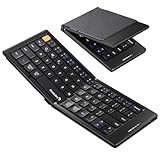
Logitech MX Keys S: the productivity pick for desk work
Spec line: full-size layout · backlit keys · rechargeable via USB-C · Bluetooth or receiver · up to 3 devices.
The MX Keys S is a desk keyboard, not a travel keyboard. It offers excellent typing feel, a backlight that adjusts to the room and quick switching between tablet, phone and computer. It is the right choice if your Android tablet is a workstation connected to a stand or docking setup.
Best for: writers, analysts and remote workers who use a tablet at a desk.
Skip if: you need a keyboard you can carry daily, or you want a keyboard that doubles as a cover.
- Pros: excellent typing feel, backlight, USB-C charging, multi-device.
- Cons: large and heavy, higher cost, no stand or trackpad, needs a separate tablet stand.

How to choose: thresholds that settle the decision
Turn each buying criterion into a number you can check on the listing, so the decision does not rest on a hunch.
- Fit. If your tablet is a Galaxy Tab S-series or FE, a model-specific cover is an option. For any other Android tablet, choose a Bluetooth keyboard or a universal folio, because a cover must match the exact model number.
- Screen size. Universal folios and cradle grooves suit tablets in the 9 to 11 inch class. A tablet of 12 inches or more needs a separate stand or a model-specific cover.
- Typing time. If you type longer than about 30 minutes at a stretch, choose a full-size board or a mechanical keyboard, not a foldable.
- Carry weight. If the keyboard travels daily, aim for under roughly 500 g, which points to the compact and foldable picks.
- Pointer. If you use split-screen or desktop-style modes, add a trackpad through a cover, a foldable with a touchpad or a mouse. Otherwise touch control is enough.
- Power. A replaceable-battery board can last a year or more at an hour of typing a day. A rechargeable board with a backlight needs a cable every few weeks.
- Budget tier. Entry-level covers typing and switching; pay a mid-range or premium tier only for a trackpad, a backlight or a model-matched cover.
Decision matrix: match the keyboard to how you work
| How you use your tablet | Best match | Runner-up | Avoid |
|---|---|---|---|
| Daily commute and travel | Logitech Keys-To-Go 2 | ProtoArc XK04 | Logitech MX Keys S |
| Couch or café typing with a built-in stand | Logitech K480 | Samsung Book Cover Keyboard | Logitech Pebble Keys 2 K380s |
| Galaxy Tab with trackpad and DeX | Samsung Book Cover Keyboard | Samsung Smart Keyboard | ProtoArc XK04 |
| Switching between phone, tablet and PC | Logitech K480 or Pebble Keys 2 K380s | Samsung Smart Keyboard | Samsung Book Cover Keyboard |
| Long documents and desk work | Logitech MX Keys S | Logitech K480 | ProtoArc XK04 |
| Mixed brands of Android tablets | Any Bluetooth model | Logitech K480 | Model-specific covers |
Worked example: pick a keyboard in four steps
Use this short sequence to avoid the two most common mistakes, buying a model-specific cover that does not fit and buying a portable keyboard that you never carry.
- Check the tablet model number. Open Settings, About tablet, and note the exact model. If it is a Galaxy Tab S-series or FE model, a Samsung cover may fit. If it is any other brand, plan on a Bluetooth keyboard.
- Decide where you type. If more than half your typing is at a desk, choose a full-size keyboard such as the MX Keys S or the K480. If more than half is on the move, choose the Keys-To-Go 2 or a foldable.
- Decide whether you need a trackpad. If you edit documents or use DeX-style multi-window apps, a trackpad saves time. That points to the Samsung Book Cover Keyboard on a Galaxy Tab. Otherwise, touch-screen control is usually enough.
- Check the stand. A keyboard without a stand needs a case or stand. If you do not own one, choose the K480 or a Samsung cover, which include one.
Battery math helps too. Coin-cell and AAA-powered keyboards such as the Keys-To-Go 2, K480 and Pebble Keys 2 K380s are designed to run for a year or more on a single set of cells, so a replaceable-battery keyboard that you type on for about an hour a day typically needs a new battery less often than a rechargeable keyboard needs a cable. In contrast, a rechargeable keyboard such as the MX Keys S is designed to be topped up every few weeks. If you travel to places where spare batteries are hard to find, rechargeable USB-C is easier. If you dislike charging yet another device, replaceable cells win.
Android-specific features to check
Key mapping and shortcuts
Many keyboards offer an Android mode that maps the Windows or Command key to Android’s Home, Back and Recents shortcuts. Others rely on a general layout. If a keyboard offers an Android layout switch, use it so that shortcut keys behave as expected.
Trackpad and pointer support
Android supports mice and trackpads, but quality varies by tablet and app. Pointer-friendly apps work well on a Samsung tablet in DeX mode. On other tablets, a trackpad helps for editing but is not essential.
Bluetooth stability and reconnection
Look for keyboards that reconnect quickly after sleep and that offer dedicated device-switch keys. Frequent disconnections are the most common complaint with cheap generic keyboards.
Layout and size
Compact keyboards save space but require function-key combinations for common actions such as Home or End. Full-size keyboards are better if you write often.
Case compatibility
If you use a case with a kickstand, a Bluetooth keyboard fits easily. If you use a keyboard case, you do not need a separate stand.
Common mistakes when buying an Android tablet keyboard
- Buying a cover for the wrong model. A Galaxy Tab S9 cover does not fit a Tab S10 FE. Match the exact model code.
- Ignoring the stand. Typing with the tablet flat on a table is uncomfortable. Plan for a stand or choose a keyboard with one.
- Choosing a compact layout for long writing. Compact boards cost speed on long documents.
- Overpaying for features you will not use. A trackpad is wasted if you never use pointer-based apps.
- Forgetting software support. A keyboard works best when the tablet runs a current Android version with good external keyboard support.
More keyboards for Android tablets worth considering
Competing roundups also recommend the options below. They add a colorful quiet board, a universal folio, a trackpad foldable, a mechanical board, a Galaxy Tab Pro keyboard, a third-party case for a Galaxy Tab and a budget backlit option.
Logitech POP Icon Keys
Spec line: Bluetooth · compact quiet keys · Easy-Switch for 3 devices · customizable shortcut and emoji keys · works with Windows, macOS, iPadOS and Android
An Android-focused roundup names it a top overall pick for any Android tablet. It resembles the Pebble Keys 2 K380s with extra programmable keys and more color choices, so it is easy to share between a tablet, a phone and a laptop.
Best for: buyers who want a friendly, quiet multi-device board in the entry-level to mid-range tier.
Skip if: you want a backlight, a number pad or a built-in stand.
Pros: quiet keys, three-device switching, compact, programmable keys.
Cons: shallow keys, no stand, no trackpad.
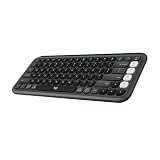
Logitech Universal Folio Keyboard Case
Spec line: integrated Bluetooth keyboard · folio case for 9 to 10 inch tablets · adjustable holder · Apple, Android and Windows compatible
A folio puts the case, stand and keyboard in one piece, so there is nothing else to carry. It is a long-standing answer for 9 to 10 inch tablets that have no official keyboard cover. Fit is the catch: confirm your tablet’s width and corner shape against the listing.
Best for: owners of a 9 to 10 inch non-Samsung tablet who want a case and keyboard together at an entry-level price.
Skip if: your tablet is larger than about 10 inches or you want a trackpad.
Pros: case, stand and keyboard in one, wide compatibility, low cost.
Cons: older design, smaller keys, no trackpad, fit varies by tablet.
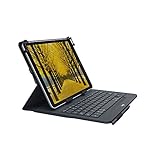
Samsers Foldable Bluetooth Keyboard with Touchpad
Spec line: Bluetooth · folds to pocket size · full-size layout when open · multi-touch trackpad · built-in phone holder
A roundup names the Samsers foldable as its pick in that category. The built-in trackpad gives Android’s pointer support something to use, and the fold-flat body slips into a jacket pocket. Expect hinge flex and a lighter key feel than a rigid keyboard.
Best for: travelers who want a keyboard and trackpad in a pocket-sized, entry-level package.
Skip if: you type for hours or want firm keys.
Pros: trackpad, folds small, phone holder, low cost.
Cons: hinge flex, shallow typing feel, holder suits phones and small tablets.

Keychron K2 Wireless Mechanical Keyboard
Spec line: Bluetooth · 75 percent layout · mechanical switches (silent red in this listing) · white backlight · Mac and Windows key layouts
Android Central lists a Keychron K2 as its mechanical choice. It is for the tablet that acts as a desk computer: the key feel is far better than any slim board, but it is heavy and needs a separate tablet stand.
Best for: writers and coders who use an Android tablet at a desk and care about key feel.
Skip if: you carry the keyboard around or want a light board.
Pros: excellent key feel, backlight, compact for a mechanical board.
Cons: heavy, premium tier for a tablet keyboard, no stand.

Samsung Pro Keyboard for Galaxy Tab S11 Ultra and S12 Ultra
Spec line: pogo-pin connection · detachable keyboard cover · trackpad · fits Galaxy Tab S11 Ultra and S12 Ultra
This is the flagship companion for Samsung’s largest tablets, according to a Galaxy Tab keyboard guide. It adds a trackpad and a pogo-pin link that needs no pairing, but only fits the Ultra sizes. This listing is marked as an international model, so check that it suits your region.
Best for: owners of a current Galaxy Tab S Ultra who want a laptop-style setup.
Skip if: you own a smaller or older Galaxy Tab, or a non-Samsung tablet.
Pros: trackpad, no pairing, matched fit, strong build.
Cons: premium tier, model-specific, international listing.

Nillkin Keyboard Case for Galaxy Tab S10 FE+
Spec line: detachable keyboard case · 7-color backlight · kickstand · trackpad · S Pen holder · built for the Galaxy Tab S10 FE+
A mid-range third-party alternative to the Samsung cover. A guide to Galaxy Tab keyboards names Nillkin as its best third-party case, and this one adds a kickstand, a backlight and a pen holder at a lower tier. Fit is for the S10 FE+ only, so match the model first.
Best for: Galaxy Tab S10 FE+ owners who want a backlit case with a trackpad without paying for the Samsung cover.
Skip if: you own any other tablet.
Pros: backlight, trackpad, kickstand, pen holder.
Cons: model-specific, third-party build, detachable keyboard adds bulk.

Arteck Universal Backlit Bluetooth Keyboard
Spec line: Bluetooth · slim backlit body · adjustable backlight colors · rechargeable · universal Android, iPadOS and Windows layouts
Arteck shows up in budget lists for Android and iPad tablets. This model is the low-cost way to get a backlight, which suits evening use on a nightstand or couch. Confirm the number of pairing slots on the listing.
Best for: entry-level shoppers who want backlit keys for evening typing.
Skip if: you need strong multi-device support or a firm key feel.
Pros: backlight at a low tier, rechargeable, slim.
Cons: key feel is basic, limited multi-device support, no stand.

All 14 Android tablet keyboards compared
This table combines the original seven picks with the seven added above. Cells marked Check listing are details that vary by version, so confirm them on the current product page.
| Keyboard | Type | Connection | Power | Backlight | Stand |
|---|---|---|---|---|---|
| Logitech Keys-To-Go 2 | Ultra-portable | Bluetooth | Replaceable batteries | No | None (case needed) |
| Logitech K480 | Mid-size | Bluetooth, dial | Replaceable batteries | No | Built-in cradle |
| Samsung Book Cover Keyboard | Cover | Pogo pin plus Bluetooth | Powered by tablet | Check model | Built-in stand |
| Samsung Smart Keyboard | Compact | Bluetooth | Check listing | Check listing | None |
| Logitech Pebble Keys 2 K380s | Compact | Bluetooth | Replaceable battery | No | None |
| ProtoArc XK04 | Foldable | Bluetooth | Rechargeable class | No | None |
| Logitech MX Keys S | Full-size | Bluetooth or receiver | Rechargeable | Yes | None |
| Logitech POP Icon Keys | Compact | Bluetooth | Check listing | No | None |
| Logitech Universal Folio | Folio case | Bluetooth | Check listing | No | Built-in holder |
| Samsers Foldable with Touchpad | Foldable | Bluetooth | Check listing | No | Phone holder |
| Keychron K2 | 75 percent mechanical | Bluetooth | Rechargeable | Yes, white | None |
| Samsung Pro Keyboard (S11/S12 Ultra) | Cover | Pogo pin | Powered by tablet | Check model | Built-in stand |
| Nillkin Case for Tab S10 FE+ | Cover | Detachable | Check listing | Yes, 7 colors | Kickstand |
| Arteck Universal Backlit | Slim | Bluetooth | Rechargeable | Yes | None |
FAQ
What is the best keyboard for an Android tablet?
The Logitech Keys-To-Go 2 is the best portable option and the Logitech K480 is the best value with a stand. Samsung Galaxy Tab owners should consider the Samsung Book Cover Keyboard.
Do Bluetooth keyboards work with every Android tablet?
Yes. Any standard Bluetooth keyboard pairs with an Android tablet through Settings. Some special keys may behave differently depending on the layout mode and tablet software.
Do I need a trackpad on my Android tablet keyboard?
Not always. Touch-screen control covers most tasks, but a trackpad helps with document editing and multi-window use, especially on Samsung tablets in DeX mode.
Can I use a Samsung keyboard cover on a non-Samsung tablet?
No. Samsung’s pogo-pin covers are built for specific Galaxy Tab models. For other tablets, use a Bluetooth keyboard such as the Logitech Keys-To-Go 2 or K480.
How long do tablet keyboard batteries last?
Keyboards with replaceable coin or AAA cells are designed to last a year or more of normal use. Rechargeable keyboards typically need charging every few weeks, depending on backlight use.
Can one keyboard work with my phone, tablet and laptop?
Yes. Keyboards such as the Logitech K480, Keys-To-Go 2, Pebble Keys 2 K380s and MX Keys S pair with up to three devices and switch with a key or dial.
Is a keyboard case better than a separate keyboard?
A keyboard case is more convenient because it combines protection, stand and typing. A separate keyboard is more flexible, easier to share between devices and often has better typing feel.
Will a keyboard drain my tablet battery?
Bluetooth keyboards use very little power, though pogo-pin covers may draw a small amount. For long sessions, keep the tablet charged as you would for any extended use.
More from Amazon
Programs that pair well with the guide above. Offers and eligibility are set by Amazon and may change.
Free shipping on eligible items, Prime Video and more. Eligible new members can start with a free trial.
Start a Prime free trialAd-free music streaming. Eligible new subscribers can start with a free trial.
Try Music Unlimited freeA Prime membership for ages 18-24 with a trial period. Eligibility is set by Amazon.
See Prime for Young AdultsAudiobooks and podcasts to listen to on the go. Eligible new members can start with a free trial.
Try Audible freeAs an Amazon Associate we earn from qualifying purchases.