Key takeaways
- Pro: Deep integration with Alexa routines, timers and smart-home devices.
- Pro: Multiple models and room-to-room multiroom audio with Echo groups.
- Pro: Frequent software updates and wide third-party device support.
- Con: Sound quality of smaller models is limited.
- Con: Alexa’s push toward subscription features may change over time.
The best smart speaker depends mostly on which assistant already runs your home. For Alexa homes, the Echo Dot Max is the sensible default and the Echo Studio is the room-filling upgrade. For Apple households, the HomePod mini is the budget pick and the HomePod (2nd generation) is the bigger sound. For listeners who care most about sound and want assistant flexibility, the Sonos Era 100 and Era 300 lead. Google’s Nest Audio is still widely discussed, but sources indicate it has largely been phased out, so check stock before committing. This guide uses published specifications and professional reviews only.
Our top picks
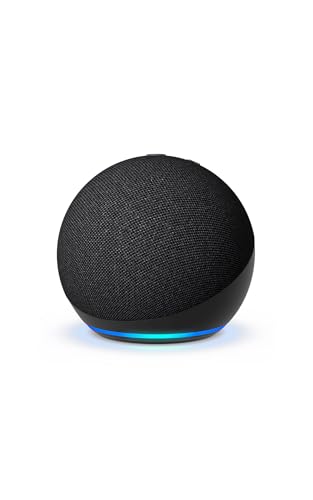

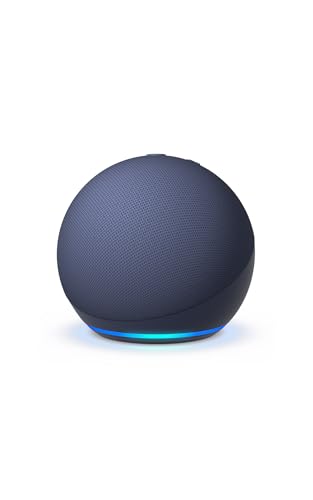

As an Amazon Associate we earn from qualifying purchases at no extra cost to you.
Smart speakers at a glance
| Model | Assistant | Speaker layout | Smart home hub | Price tier | Best for |
|---|---|---|---|---|---|
| Echo Dot Max | Alexa | Single woofer and tweeter, mono | Matter support; check model sheet | Entry to mid | Most Alexa homes |
| Echo Studio | Alexa | 5 drivers, Dolby Atmos | Matter support; Zigbee varies by model | Mid | Big sound for Alexa |
| Echo Show 8 / Echo Show 11 class | Alexa | Stereo, with screen | Matter support; Zigbee varies by model | Mid | Kitchen and bedside |
| HomePod mini | Siri | Single full-range driver | Matter, Thread border router | Entry | Apple budget |
| HomePod (2nd gen) | Siri | 5 tweeters, 1 woofer | Matter, Thread border router | Premium | Apple room-filling sound |
| Sonos Era 100 | Alexa, Sonos Voice Control | Stereo, two angled tweeters | Matter support via Sonos app features | Mid | Sound at the price |
| Sonos Era 300 | Alexa, Sonos Voice Control | 6 drivers, Dolby Atmos | Matter support | Premium | Spatial audio |
| Google Nest Audio | Google Assistant | 19 mm tweeter, 75 mm woofer | Matter and Thread via Nest hubs | Entry (limited stock) | Google homes |
The assistant column matters more than any spec on the list. Smart speakers are only as useful as the ecosystem behind them, so pick the platform first and the model second.
Pick by assistant
Best Alexa speakers
If your lights, plugs and cameras use Alexa routines, the Echo family is the smoothest route. The Echo Dot Max is the best general pick: compact, improved audio over earlier Dots according to reviewers, and compatible with Alexa+ features as they roll out. Professional reviewers have noted that it punches on bass but is less detailed in mids and treble than the Sonos Era 100 or HomePod mini, so it is a good value speaker rather than a hi-fi one. The Echo Studio uses a five-driver array with Dolby Atmos support, and fits larger rooms where one Echo Dot would sound thin.
- Pro: Deep integration with Alexa routines, timers and smart-home devices.
- Pro: Multiple models and room-to-room multiroom audio with Echo groups.
- Pro: Frequent software updates and wide third-party device support.
- Con: Sound quality of smaller models is limited.
- Con: Alexa’s push toward subscription features may change over time.
Best Siri and HomeKit speakers
For best homekit speakers and best siri speakers, Apple’s two options are clear. The HomePod mini is small, inexpensive for Apple, and works as a Thread border router and Matter controller, so it also strengthens your smart-home network. The HomePod (2nd generation) adds a high-excursion woofer and a five-tweeter array, and reviewers such as What Hi-Fi? describe it as a strong choice for Apple users who want room-filling sound. Both support AirPlay 2, handoff from iPhone, and stereo pairing in matched pairs.
- Pro: Best integration with iPhone, Apple Music and AirPlay 2.
- Pro: Privacy-focused design and on-device handling of many requests.
- Pro: Acts as a Home hub for HomeKit automations and Thread devices.
- Con: Limited music service support compared with Echo or Sonos.
- Con: Little value if you use Android phones.
Best Google speakers
The Google Nest Audio remains a recognisable option when people search for best google speakers, with a 19 mm tweeter and 75 mm woofer according to Google’s published specifications. Reports in 2026 suggest stock is limited, and Google has been moving its home platform toward newer Gemini-based devices. If you buy a Google speaker, check current availability and whether the model still receives updates. For Google-centric homes who want a safer long-term choice, a Sonos speaker with Chromecast-like casting from your phone or a Nest Hub display may be a more durable option.
- Pro: Clear voice assistant for questions and routines.
- Pro: Casting from Android and Chrome is easy.
- Pro: Compact design that suits shelves and nightstands.
- Con: Availability uncertain; limited stock in some regions.
- Con: Sound is good for the size but not outstanding.
Best smart speakers for music quality
If sound matters more than assistant integration, the Sonos Era 100 is the most frequently recommended mid-priced pick in 2026 roundups. It uses two angled tweeters for stereo separation, supports Wi-Fi and Bluetooth, AirPlay 2 and Alexa voice control, and slots into Sonos multiroom setups. The Sonos Era 300 adds Dolby Atmos spatial audio with six drivers and suits larger rooms. Both include line-in options through optional adapters. Compared with an Echo Dot Max, expect clearer mids and treble and better bass control, at a higher price tier.
- Pro: Better sound than most smart speakers at the mid price tier.
- Pro: Multiroom, stereo pairing and home-theater surround options with Sonos soundbars.
- Pro: Supports a wide range of streaming services in the Sonos app.
- Con: Voice assistant is limited compared with Echo or HomePod.
- Con: Sonos app updates have been criticised in the past, so read current reviews.
Best smart speakers with screens
For best smart speakers with screens, the Echo Show line and Google’s Nest Hub class are the mainstream options. A screen helps with recipes, video doorbell feeds, timers and photo frames. Choose an 8-inch to 10-inch screen for a kitchen counter, and a smaller 5-inch to 8-inch screen for a bedside table. A built-in camera is common on larger models, so check physical shutters and privacy switches before buying, and consider whether you want a camera in a bedroom at all.
- Pro: Visual feedback makes smart home control easier.
- Pro: Video calls and doorbell previews are practical.
- Pro: Stereo sound on larger models is better than basic pucks.
- Con: Screens add cost and require power and placement thought.
- Con: Privacy concerns around cameras and microphones.
How to choose: the numbers and checks that matter
Room size
A single small smart speaker is fine for rooms up to about 150 square feet. For 250 to 400 square feet, choose a larger speaker such as an Echo Studio, HomePod or Era 300, or use two speakers in a stereo pair.
Voice assistant coverage
Count how many of your devices work with each assistant. A house with eight Alexa devices and one Google device should lean Alexa. Matter is making devices more interoperable, but routines and voice commands still behave best inside one ecosystem.
Smart home protocols
Look for Matter support and Thread border router capability if you plan to add sensors, locks and bulbs. Zigbee support is valuable on Echo models if you already own Zigbee bulbs or sensors, because it removes the need for a separate hub.
Microphones and privacy
Choose a speaker with a hardware microphone mute switch, and review the voice history settings. The speaker will always listen for the wake word, so physical mute controls matter in bedrooms.
Decision matrix
| Your situation | Choose | Reason |
|---|---|---|
| Alexa home, tight budget | Echo Dot Max | Compact and affordable, full Alexa features |
| Alexa home, big room | Echo Studio | Atmos and larger driver array |
| iPhone household | HomePod mini or HomePod | Handoff, AirPlay 2, Thread hub |
| Sound quality first | Sonos Era 100 or Era 300 | Better drivers and multiroom |
| Kitchen with video needs | Echo Show class | Screen and camera options |
| Android and Google routines | Nest speaker or Hub if available | Native Google Assistant |
Ownership realities
Smart speakers have long software lives but short hardware lives. Software support can end earlier than hardware, so check the manufacturer’s update commitments. Voice assistants change features and subscription structures over time, and a model that supported a feature at launch may not do so later. Keep firmware updated, avoid placing a speaker in a cabinet or against a wall that blocks sound, and give microphones a few inches of clear space. Reset a speaker before selling or gifting it. Wi-Fi quality matters more than Bluetooth for stability, so keep the router within reasonable range or use a mesh network in larger houses.
How to set up a smart speaker properly
- Choose the position first. Place the speaker at least 4 to 6 inches from walls, on a stable surface, and away from corners that make bass boomy. Keep it away from routers and microwaves that cause Wi-Fi interference.
- Update firmware before anything else. A first update often fixes pairing and voice issues, and on some models adds Matter support.
- Name rooms consistently. Use short, distinct room names like “Kitchen” and “Bedroom”. Voice assistants confuse similar names such as “Living Room” and “Living Room TV”.
- Set a default music service. Without one, a request may open an unexpected service.
- Create one routine at a time. A morning routine with lights, weather and news is easy to build and shows you quickly whether the speaker responds reliably.
- Set microphone and history preferences. Review how long voice recordings are retained, and delete history if you prefer.
Smart home speakers as hubs: what each can control
For best smart home speakers, the question is often what a speaker does for the rest of your devices. A speaker that is also a Thread border router and Matter controller makes Thread-based sensors, locks and bulbs respond faster and more reliably. HomePod mini, HomePod and recent Echo and Nest devices can fill that role, per each manufacturer’s compatibility pages. A speaker with Zigbee support on the Echo side is useful if you already own Zigbee bulbs, because it removes the need for a bridge. If you only plan to use voice control for music and timers, none of this matters, and you should choose on sound alone.
When you expand, keep a simple rule: one primary ecosystem, and one backup path. If you buy Matter devices, you can add them to more than one controller, so a household with both iPhone and Android phones can share devices between Apple Home and Google Home or Alexa without buying twice.
Cost of ownership and subscriptions
Speakers themselves are a one-time cost, but features can move behind subscriptions. Assistant upgrades such as Alexa+ may be bundled with other subscriptions or priced separately depending on region, and Apple Music, Spotify and Tidal require their own plans. Sonos has no assistant subscription but depends on your streaming services. Budget for at least one music service. If you mainly listen to podcasts, radio and free tiers, the cost of the speaker is nearly the whole cost of ownership.
Stereo pairs and multi-room audio
A single speaker is mono or simulated stereo. Two identical speakers set as a stereo pair, about 6 to 10 feet apart for a typical living room, produce a much wider and more convincing soundstage than one larger speaker. HomePod, Sonos Era and Echo models all support stereo pairing with a matching unit. For multi-room listening, group speakers in the app and play the same music in several rooms, or set different sources per room. Keep mesh Wi-Fi nodes close to the speakers in larger houses, because audio drops are usually network problems rather than speaker faults.
Common mistakes when buying a smart speaker
- Buying for the assistant you do not use. A HomePod without an iPhone, or an Echo in a house that runs on Google routines, leaves features unused.
- Expecting a small speaker to fill a large room. Puck-shaped speakers are designed for desks, shelves and small rooms. Above roughly 250 square feet, step up in size or add a second unit.
- Ignoring line-in and Bluetooth. If you own a turntable or a TV, check whether the speaker has a wired input or an optional adapter. Some models have none, which locks you to streaming.
- Skipping the update policy. Smart speakers depend on cloud services. A model that is no longer supported may lose voice features while still working as a Bluetooth speaker.
- Placing the speaker in a cabinet. Enclosed spaces muffle microphones and bass. Leave a few inches of open space on all sides.
Frequently Asked Questions
Which smart speaker has the best sound?
Among mainstream models, the Sonos Era 300 and HomePod (2nd generation) are usually named the best sounding, and the Sonos Era 100 leads the mid price tier. Echo Studio is strong for Alexa homes.
Can I use Alexa and Google speakers together?
Yes, but each assistant controls its own routines and groups. Matter-compatible devices can be shared between ecosystems, but speaker grouping and multi-room audio usually stay within one platform.
Do smart speakers work without Wi-Fi?
Most need Wi-Fi for voice assistants and streaming. Some can still play over Bluetooth, but smart features will not work.
Is the HomePod mini worth it for non-Apple users?
No. It needs an iPhone for setup and relies on Siri and Apple services, so Android users gain little from it.
What is Matter, and does it matter for a smart speaker?
Matter is an industry standard for smart-home devices. A speaker with Matter or Thread support can act as a controller or border router, which makes adding sensors and locks easier and more reliable.
Are smart speakers safe for privacy?
They are safe if you use the mute switch, review stored voice recordings and limit data sharing. Choose a model with a physical microphone switch if you want certainty.
More from Amazon
Programs that pair well with the guide above. Offers and eligibility are set by Amazon and may change.
Free shipping on eligible items, Prime Video and more. Eligible new members can start with a free trial.
Start a Prime free trialAd-free music streaming. Eligible new subscribers can start with a free trial.
Try Music Unlimited freeA Prime membership for ages 18-24 with a trial period. Eligibility is set by Amazon.
See Prime for Young AdultsAudiobooks and podcasts to listen to on the go. Eligible new members can start with a free trial.
Try Audible freeAs an Amazon Associate we earn from qualifying purchases.